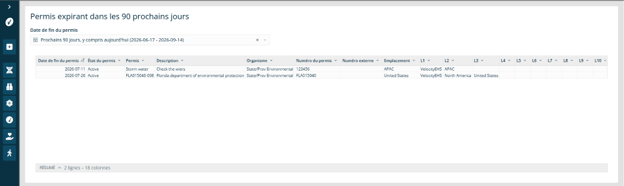

Advanced Dashboards and Reports Translations
Advanced Dashboards and Reports can display dashboard and report content in a user’s preferred language. This helps users in global organizations view reporting content in a language that is easier for them to understand.
Translations are applied automatically based on the language selected in your user profile. No additional setup is required in Advanced Dashboards and Reports.
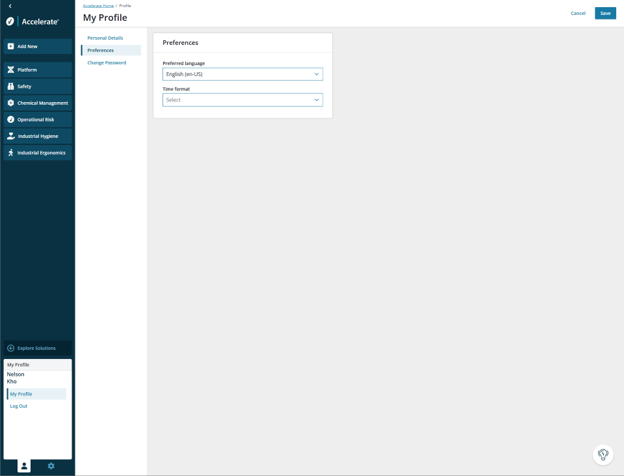
Change Your Preferred Language
To view Advanced Dashboards and Reports in a supported language, update your preferred language in your user profile.
- Select your user profile.
- Open your profile settings.
- Update your preferred language.
- Select a supported language.
- Save your changes.
After your preferred language is saved, translated dashboard and report content will display automatically when you open Advanced Dashboards and Reports.
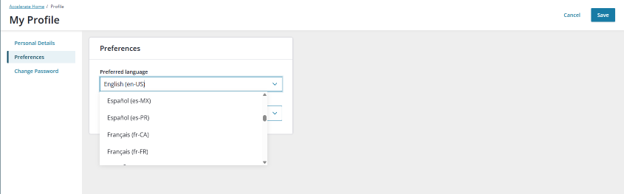
Supported Languages
Advanced Dashboards and Reports support the following languages:
- Chinese Simplified
- Dutch
- English
- French Canada
- German
- Italian
- Japanese
- Korean
- Polish
- Portuguese Brazil
- Russian
- Spanish
- Swedish
- Thai
- Turkish
If your preferred language is not supported, Advanced Dashboards and Reports will display in English.
What Translations Apply To
When a supported language is selected, system-generated dashboard and report content displays in that language. This includes dashboard and report labels, titles, menus, filters, column names, calculated metrics, and other system-generated content.
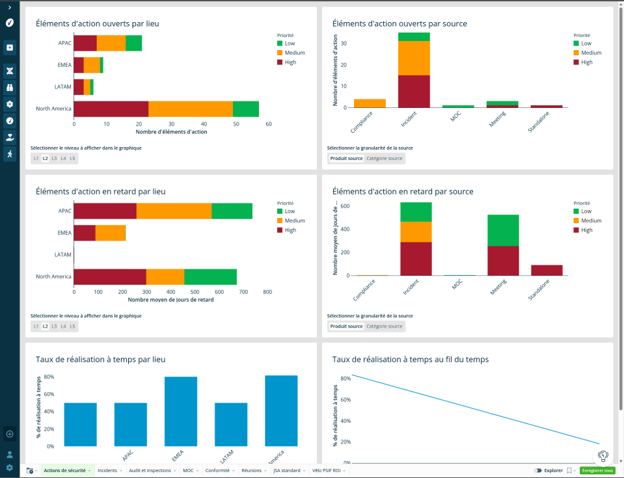
What Translations Do Not Apply To
Some content will continue to display in the language it was entered or configured in. This includes:
- Record names
- Descriptions
- Comments
- User-entered business data
- Some hard-coded text
- Some system lookup values
For example, if a record name was entered in English, the record name will continue to display in English even when the dashboard or report is viewed in another supported language.