

Configured Fields in Advanced Dashboards and Advanced Reports
Joining Configured Fields Data to Existing Advanced Dashboards and Advanced Reports
Before you begin
Make sure:
- Your configured field data has been transposed and formatted
- You are working in an editable dashboard or report
Step 1: Select the chart or table
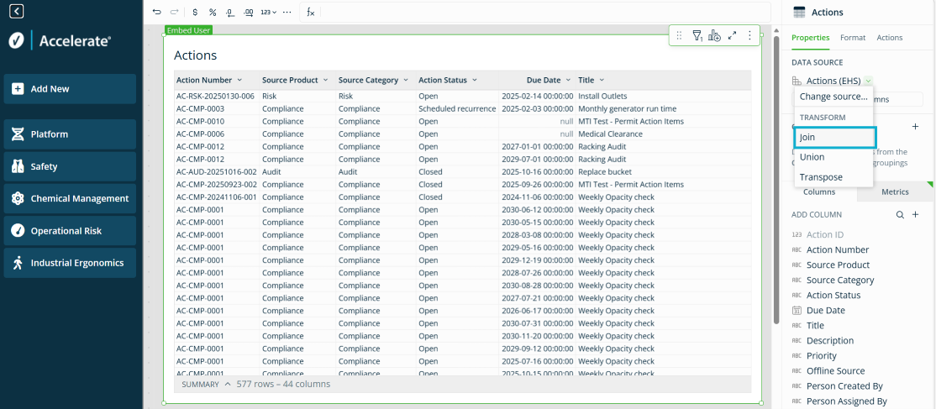
- Open the dashboard or report where you want to use configured field data (for example, an Actions report)
- Select the chart or table you want to update
- In the right-side panel, go to the Data Source section and select Join
Step 2: Select your configured field dataset
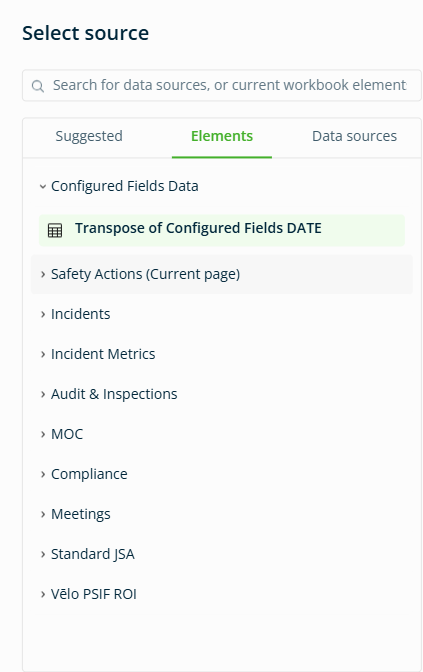
- In the source window, open the Elements Tab.
- Select the table you created during the transposing process
- Example: Configured Fields Data > Transposed Configured Fields
- Click Select
Step 3: Apply join settings
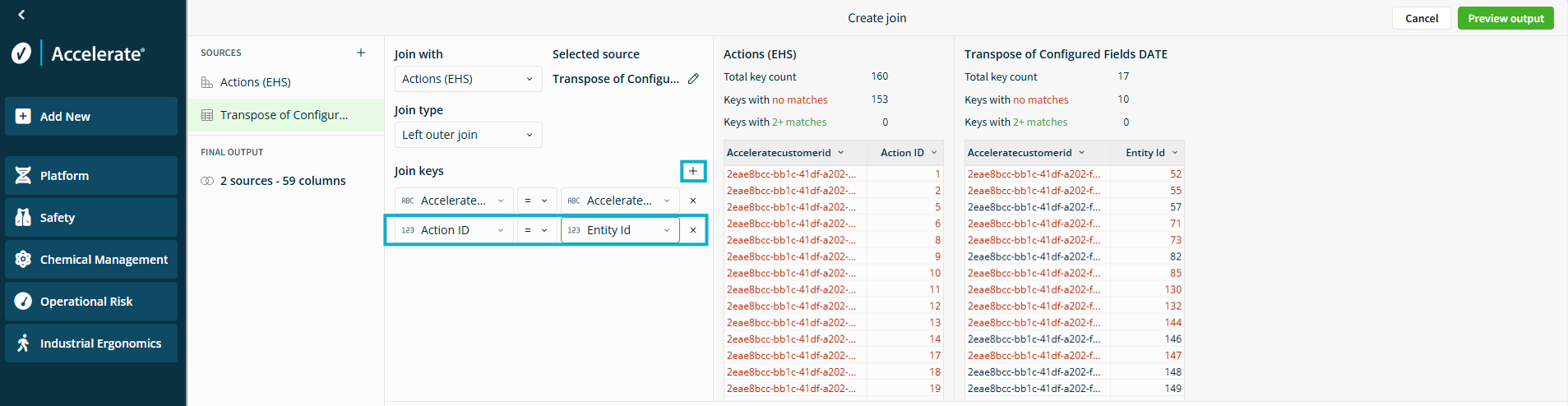
In the Create Join window:
- Set Join Type to Left Join
Left Join:
- Keeps all rows from your existing dataset
- Adds configured field data where a match exists
- Click the + icon beside Join Keys to connect matching columns
Match:
- A column from your existing dataset
Example: Action ID - A column from your configured field dataset
Example: Entity ID
Note: The configured fields dataset uses Entity ID (or the renamed version of this column).
How the join works
A join connects two datasets using a shared ID:
- One dataset contains your primary records
Example: Actions - The other contains configured field values for those records
- When the IDs match, configured field data is added as new columns
Both columns must:
- Contains matching values
- Use the same data type
Example: Text, Number, or Date
Confirm your results
After completing the join:
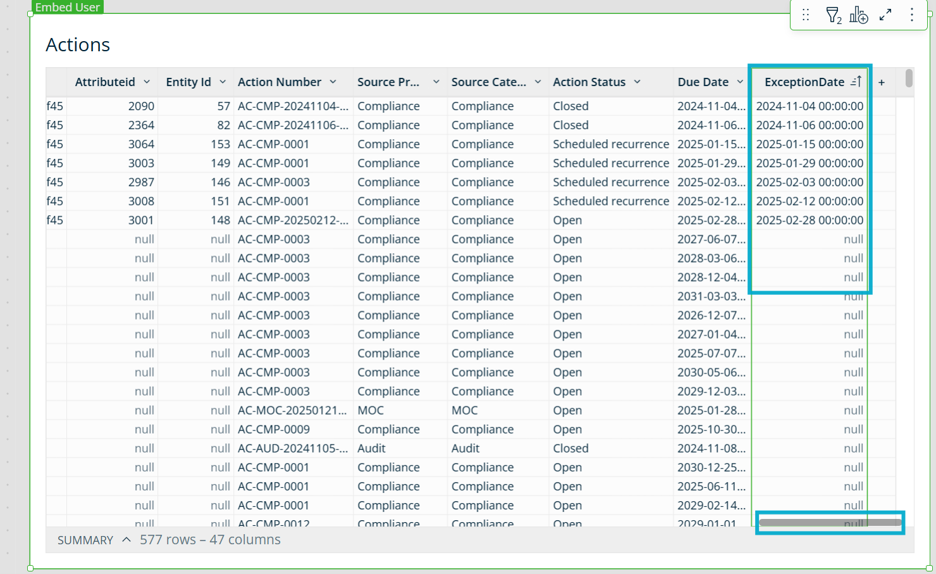
- Configured fields appear as new columns in your chart or table.
- These fields can be used like any other column
- The join applies only to the selected chart or table
To use configured fields elsewhere, repeat this process for each chart or table.
Troubleshooting
If your configured fields do not appear:
- Confirm you selected the correct ID columns in both datasets
- Make sure both columns use the same data type
- Verify your configured field data was transposed and formatted correctly
Was this helpful?
Thanks for your feedback!
