Advanced Dashboards and Advanced Reports for Incident Management
Advanced Dashboards and Advanced Reports in Accelerate help you analyze incident data, spot trends in hazard types and root causes, and share findings easily with team members.
This article covers the Hazards and Root Cause dashboards and reports available for Incident Management.
For general information about dashboards and reports, see Getting Started with Analytics.
Hazards and Root Cause Dashboards
Incident Management Advanced Dashboards provide visual insights into hazard and root cause data across your organization.
These dashboards help your team:
- Identify which hazards are associated with the most incidents
- Understand the most common root causes behind incidents
- See relationships between hazards and root causes
- Track incident trends over time
If VelocityAI (Vēlo) is enabled for your organization, an additional dashboard (Velo PSIF ROI) is also available for AI-suggested classifications.
Advanced Dashboards include default data sets that provide immediate visibility into your incident data. You can use them as-is or use them as a starting point and then customize them to create additional dashboard views.
Default dashboard data sets include:
- Hazard Type by Incident — Shows which hazard types are associated with the highest number of incidents
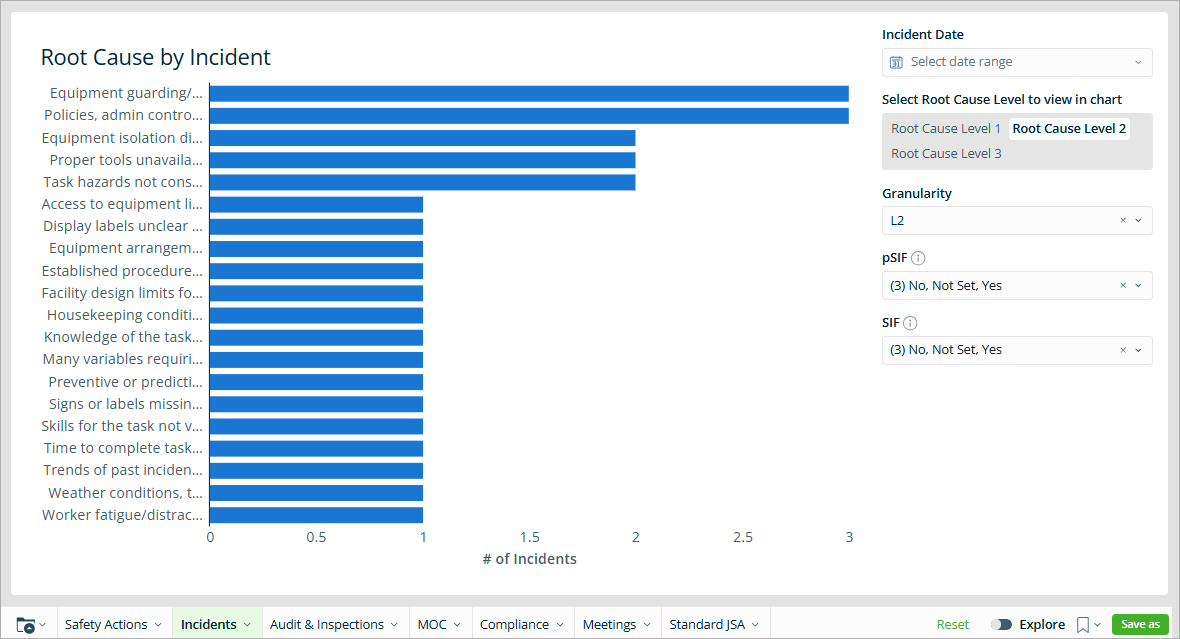
- Root Cause by Incident — Highlights the most frequently selected root causes
- Hazard Type by Root Cause — Shows how hazard types are distributed across root causes
- Root Cause by Hazard Type — Breaks down root causes within each hazard category
- Trending Incidents Over Time — Displays incident patterns and trends across time
This is an example of the Root Cause by Incident dashboard data set:
For more information about customizing dashboards, see Advanced Dashboard.
Incident Management Default Reports
While dashboards provide high-level visual insights, reports allow you to review detailed incident data.
The Hazards and Root Cause Advanced Reports include two report groups:
- Detailed breakdown reports
- VelocityAI (Velo suggestions: pSIF & SIF reporting)
Detailed Breakdown Reports
These reports provide table-level data you can use for deeper analysis.
Available reports include:
- Detailed Breakdown: Hazard Type by Incidents
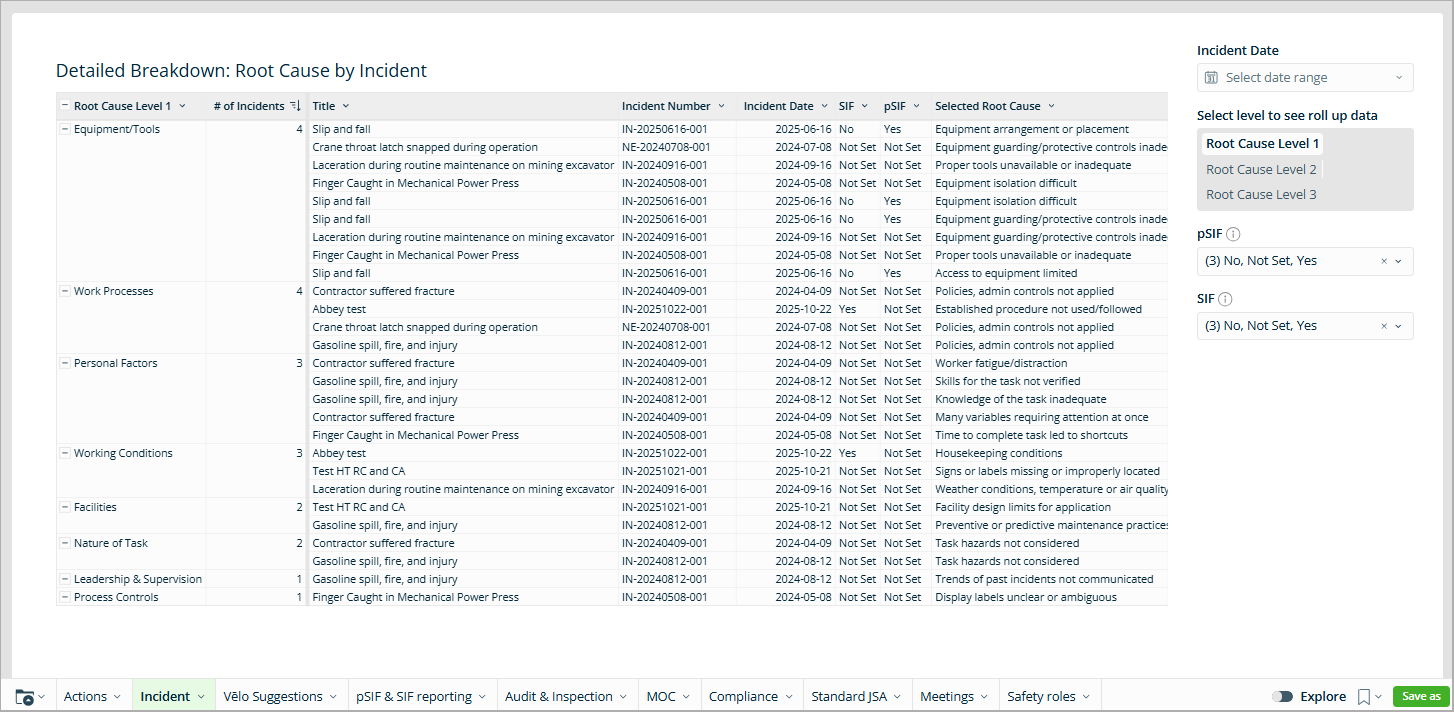
- Detailed Breakdown: Root Cause by Incidents
- Detailed Breakdown: Hazard Type by Root Cause
- Detailed Breakdown: Root Cause by Hazard Type
This is an example of the Detailed Breakdown: Root Cause by Incident report:
VelocityAI (Suggested Data)
If your organization is using Vēlo Suggestions, additional reports may be available to analyze AI-generated classifications.
These include:
- VelocityAI (Suggested) Root Causes – Shows root cause classifications suggested by VelocityAI based on your incident data
- VelocityAI (Suggested) Hazard Types – Displays hazard type classifications suggested by VelocityAI based on incident information
For more information about working with reports, see Advanced Reports.
Accessing Hazards and Root Cause Dashboards and Reports
To access Incident Management dashboards and reports:
- From the Accelerate menu, go to Platform > Advanced Dashboards or Advanced Reports.
- Select the Incident or Vēlo Suggestions tab.
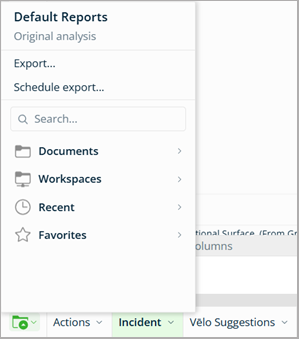
Note that if you are working in a different workspace, you can return to the default dashboards or reports: select the folder icon and choose Back to EHS Dashboards or Back to EHS Reports.