

Set Up Permit Issuance
Use these steps to enable Permit Issuance, grant access to the right user groups, and choose which users or groups can issue each permit type.
Before you start
- You need access to System Administration and permission to update user groups and permit types.
- Decide whether your organization will use the optional Completed
Enable Issue Permit for the system
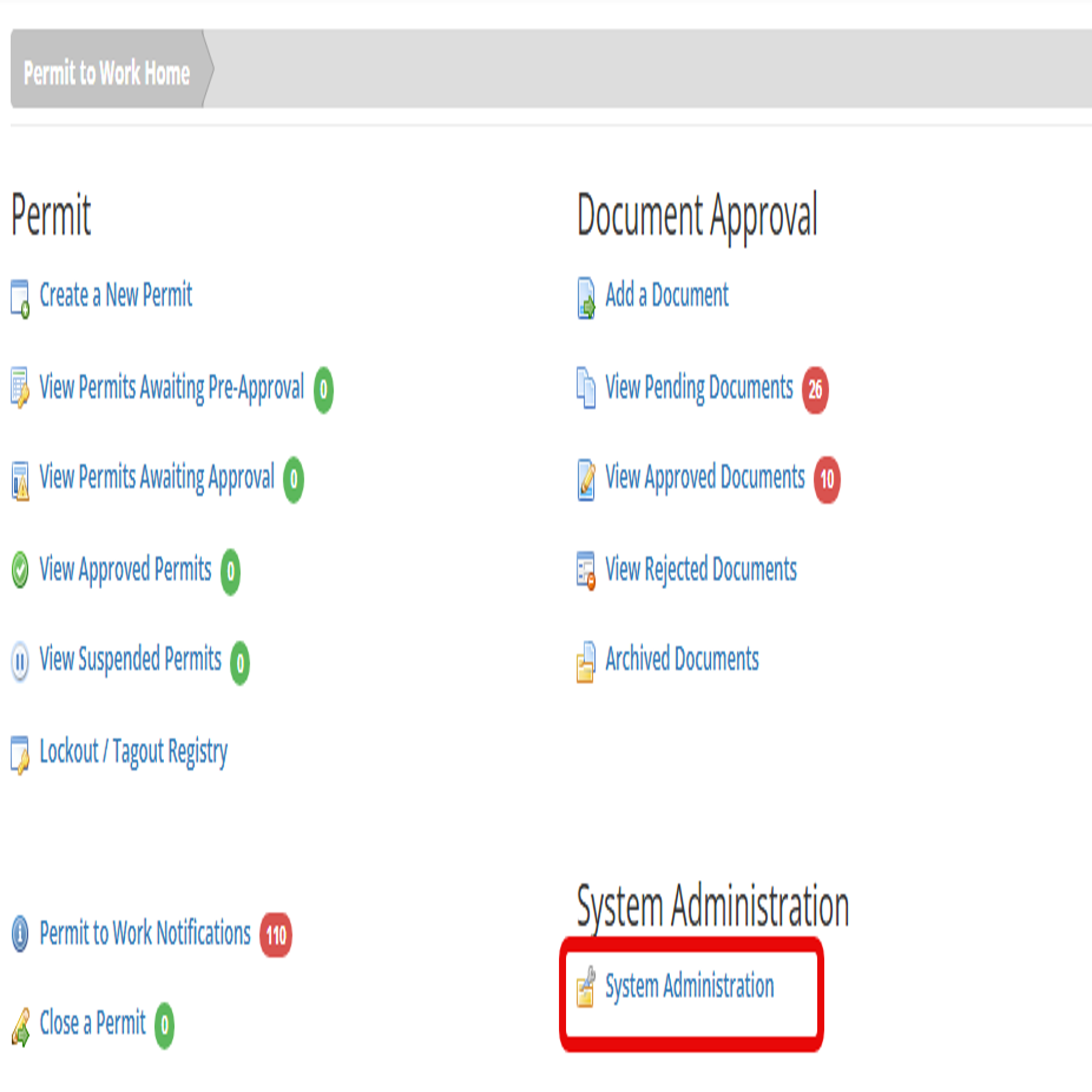
- From Permit to Work Home, select System Administration.
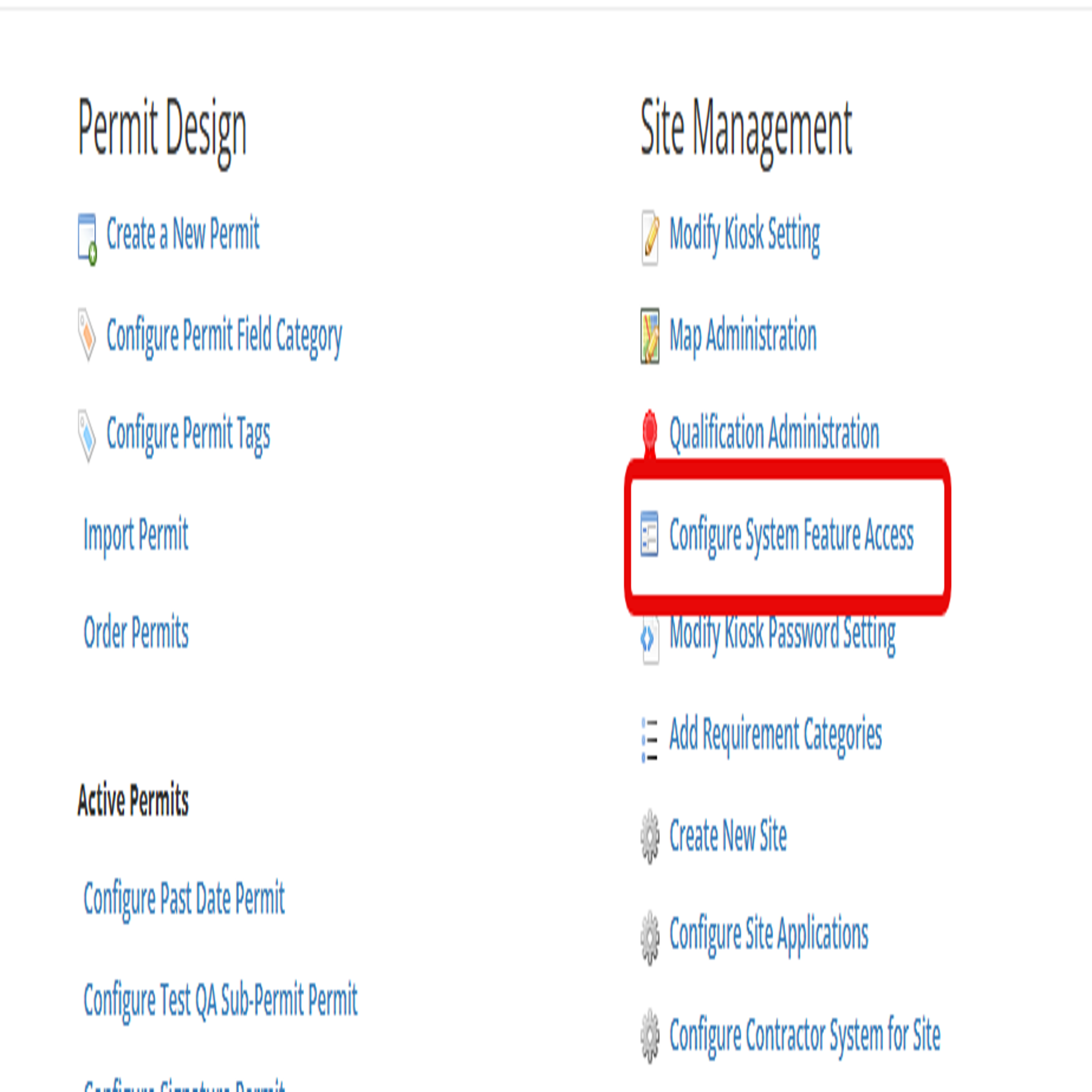
- Under Site Management, select Configure System Feature Access.
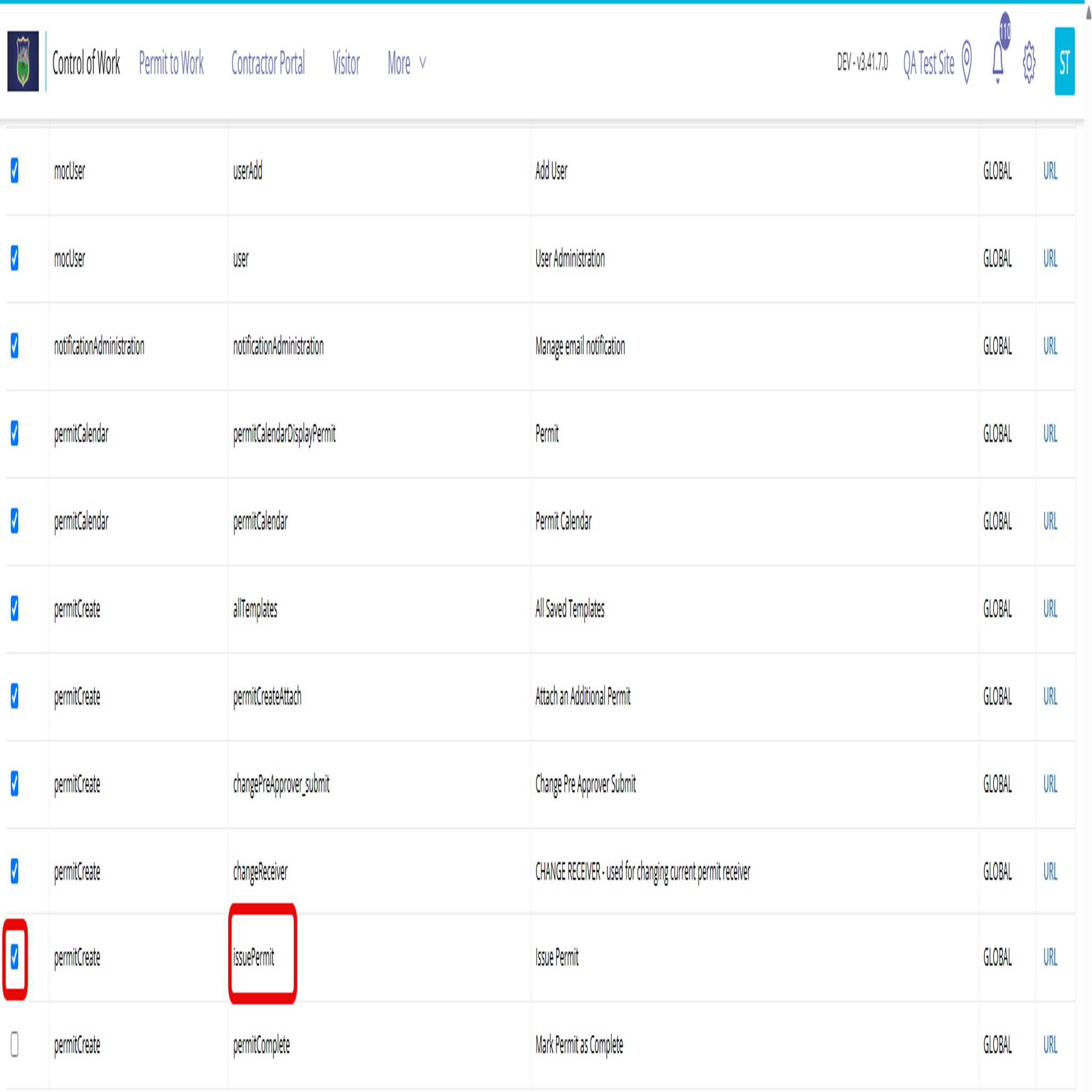
- Find Issue Permit and select its checkbox to enable Permit Issuance.
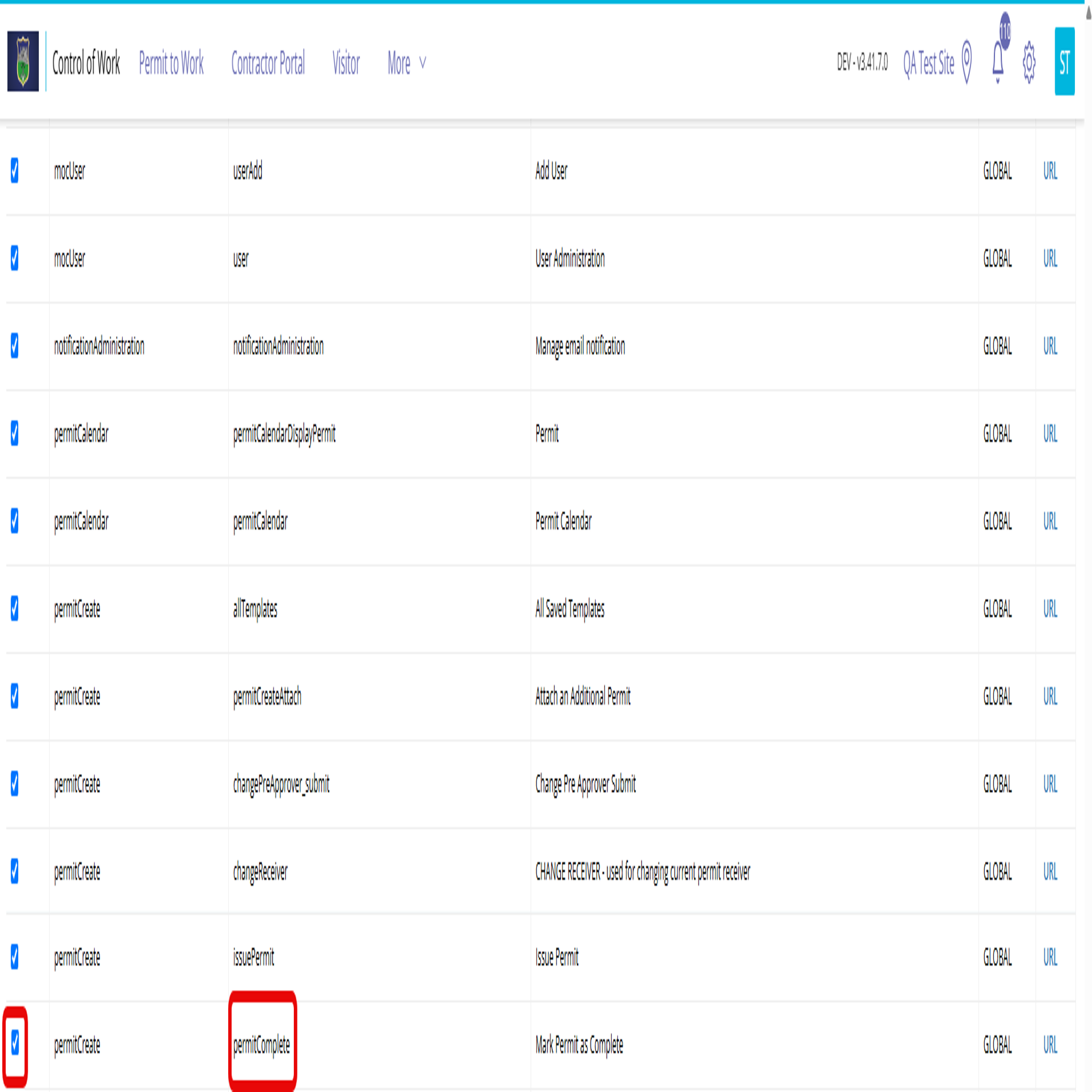
- If you will use the optional Completed stage, also select Mark Permit as Complete.
- From Permit to Work Home, select System Administration.
The Completed stage records that work has finished before the permit is closed. If you do not enable it, users can close a permit without marking it complete.
Give user groups access
Enable Issue Permit for every user group that needs to issue permits.
- From System Administration, under Site Management, select User Groups Administration.
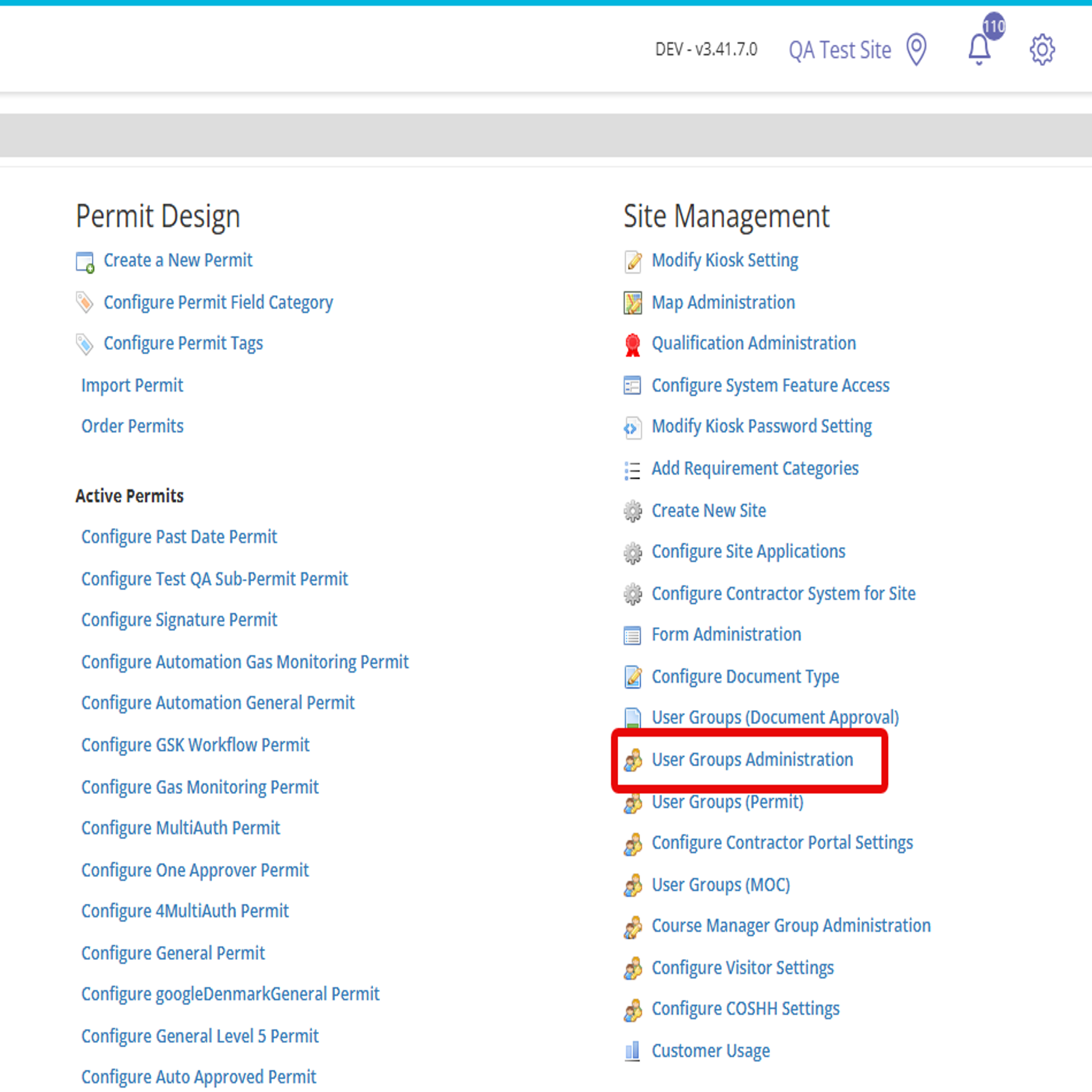
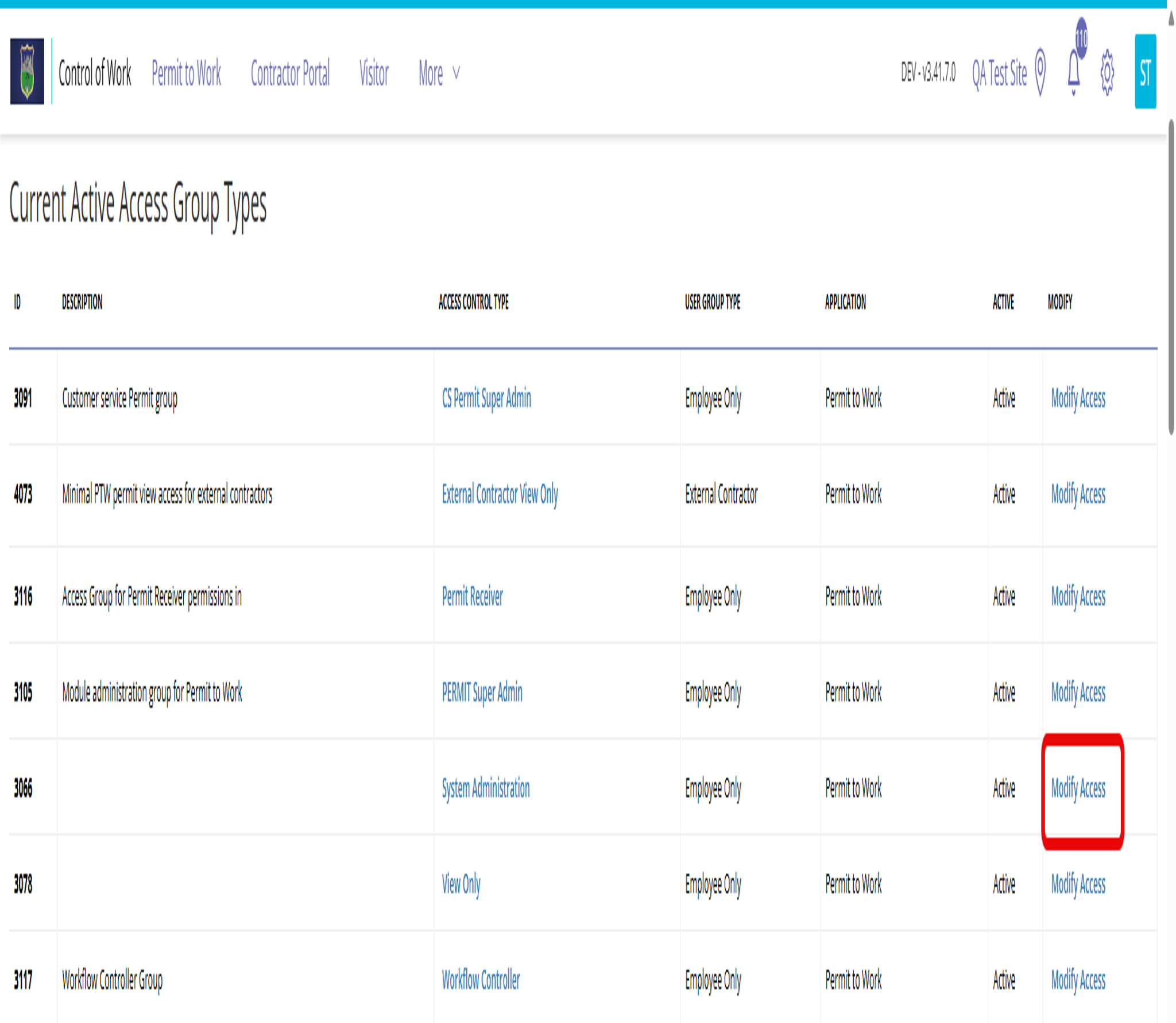
- Find the user group and select Modify Access.
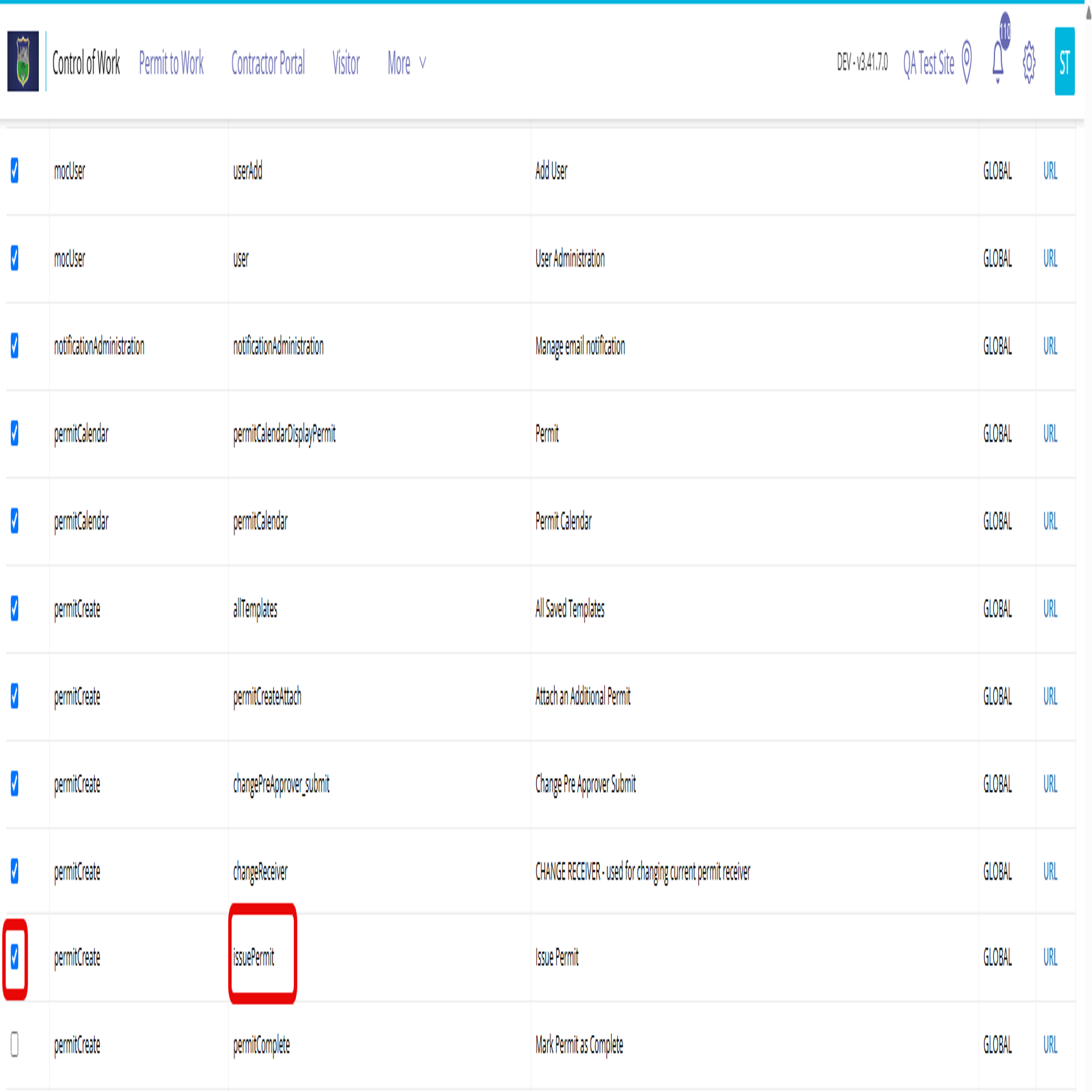
- Enable Issue Permit for the group.
- Repeat these steps for each additional group that needs access.
- From System Administration, under Site Management, select User Groups Administration.
A user must belong to a group with Issue Permit access to use Permit Issuance.
Enable Permit Issuance for a permit type
Enable the issuance step for each permit type that needs it, then choose who can issue or complete permits of that type.
- Open the permit type you want to update.
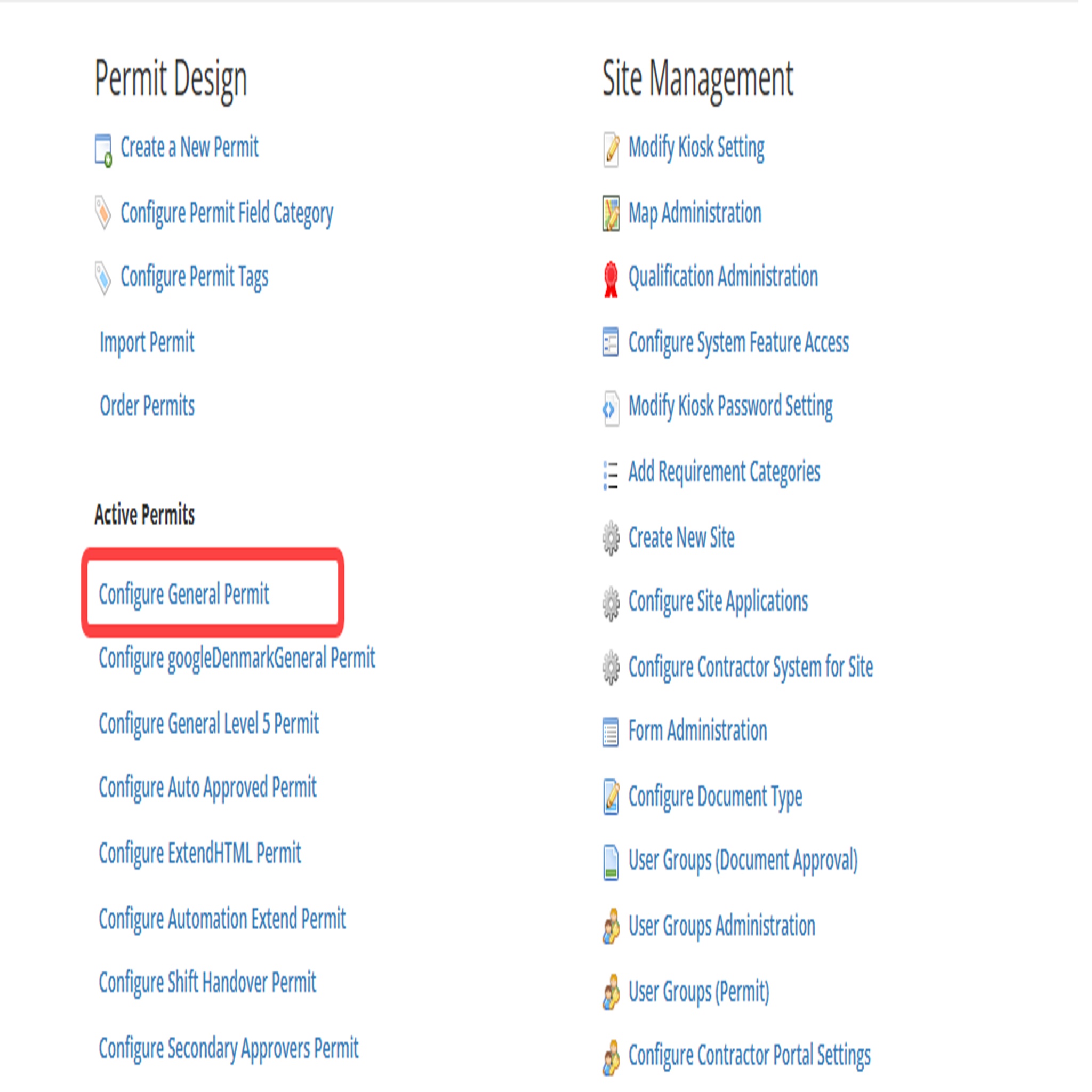
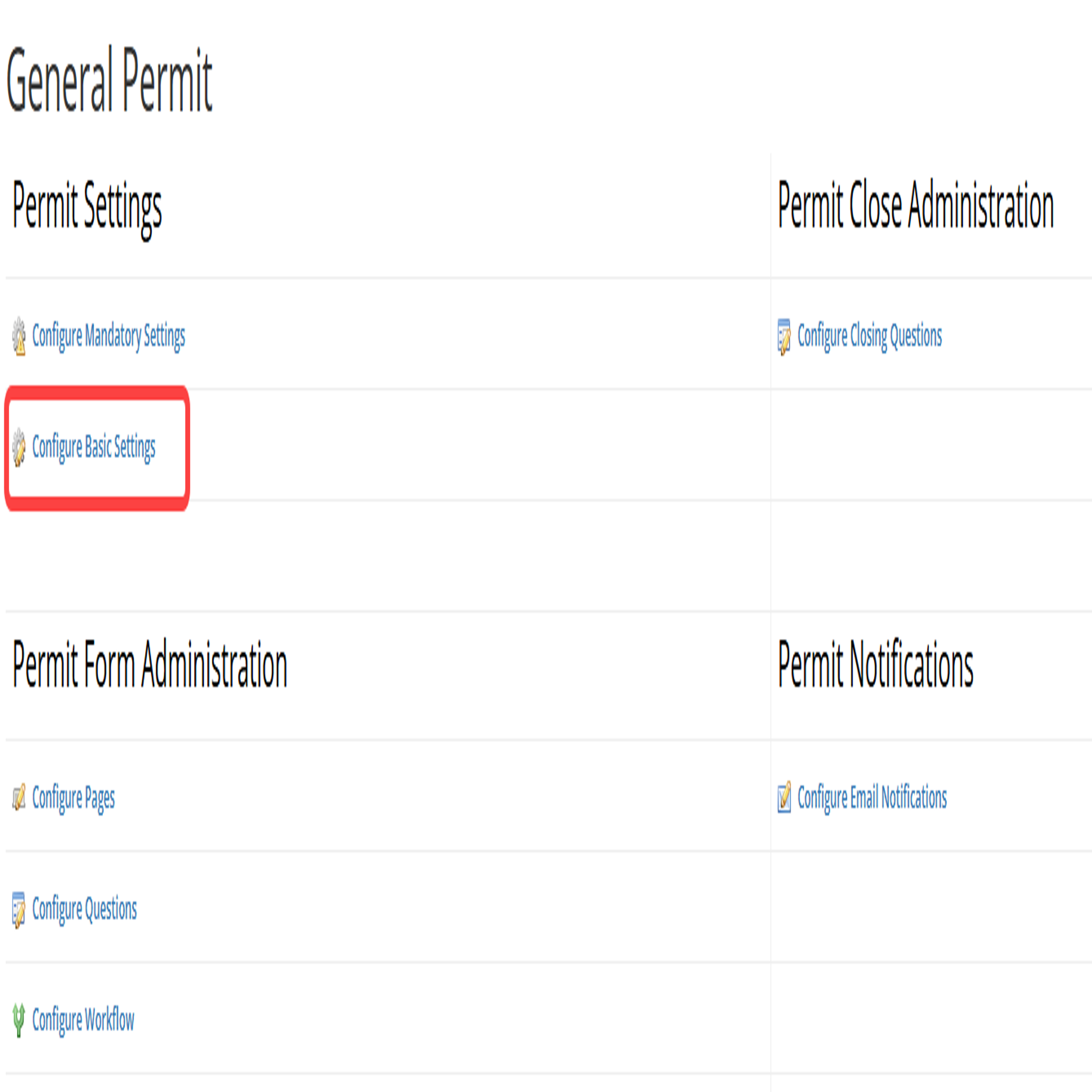
- Select Basic Settings.
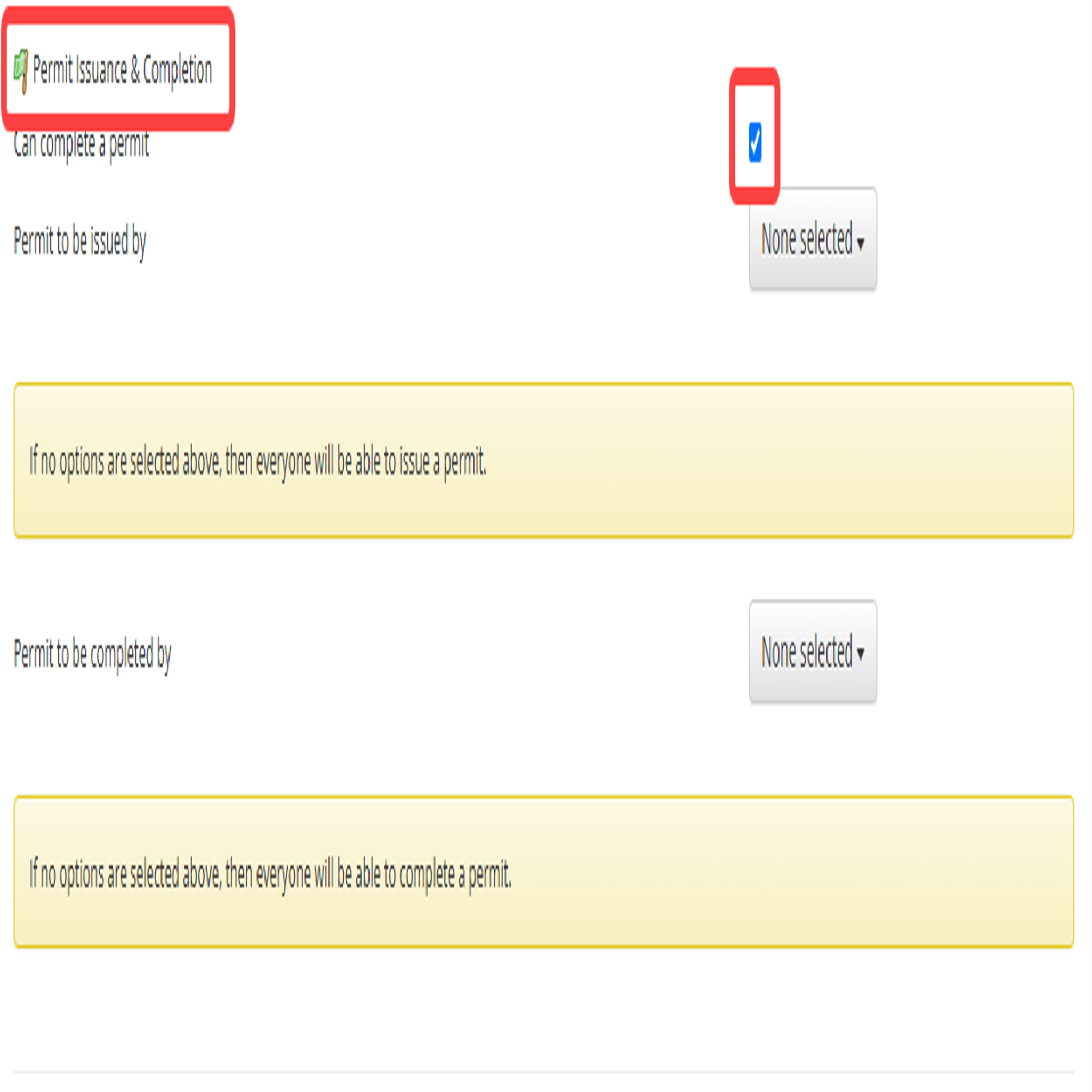
- Find Permit Issuance and Completion, then enable Permit Issuance.
- Under Permit can be issued by, select the users or groups who can issue this permit type.
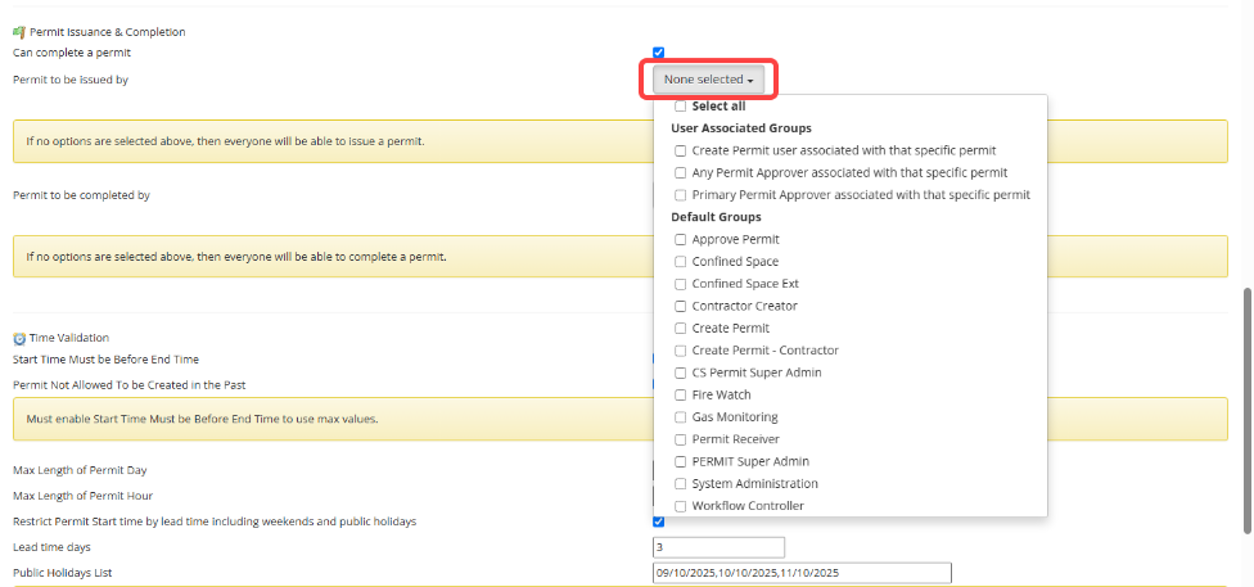
- Optional: Under Permit to be completed by, select the users or groups who can mark the permit complete.
- Save the permit type.
- Open the permit type you want to update.
Depending on the permit type settings, a permit may be issued by:
- A user associated with the permit who has Create Permit access
- Any Permit Approver
- The Primary Permit Approver
- A member of a selected user group
How issuer restrictions work. If you leave Permit can be issued by or Permit to be completed by blank, no additional permit-type restrictions apply. Any user who has access to the matching action can issue or complete the permit.
Expected result. Permit Issuance is available for the selected permit types and user groups. Users who meet the access rules can issue permits. If enabled, the Completed stage is available before closure.
Related topic. Issue and Manage a Permit
