

Getting Started with Permits
Issue and Manage a Permit
Issue an approved permit to authorize work to begin. You can then review its issuance details, suspend it, mark it complete if that stage is enabled, and close it.
Before you start
- Permit Issuance must be enabled for the permit type.
- You must belong to a user group with Issue Permit access and meet any issuer rules set for the permit type.
Issue an approved permit
- From Permit to Work Home, select View Approved Permits.
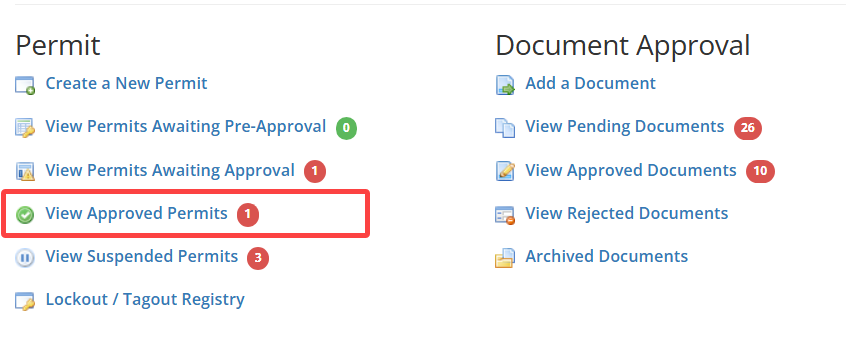
- Open the permit you want to issue.
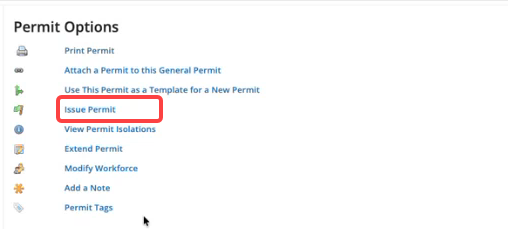
- Under Permit Options, select Issue Permit.
- Enter a comment, then select Save.
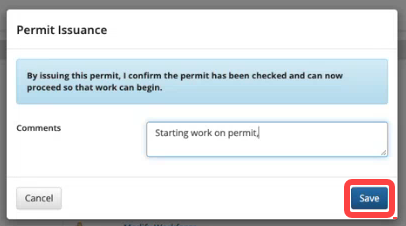
Expected result. The permit moves to Issued status. This status indicates that the permit has been checked and work can begin.
Review issuance details
- From Permit to Work Home, select View Issued Permits.
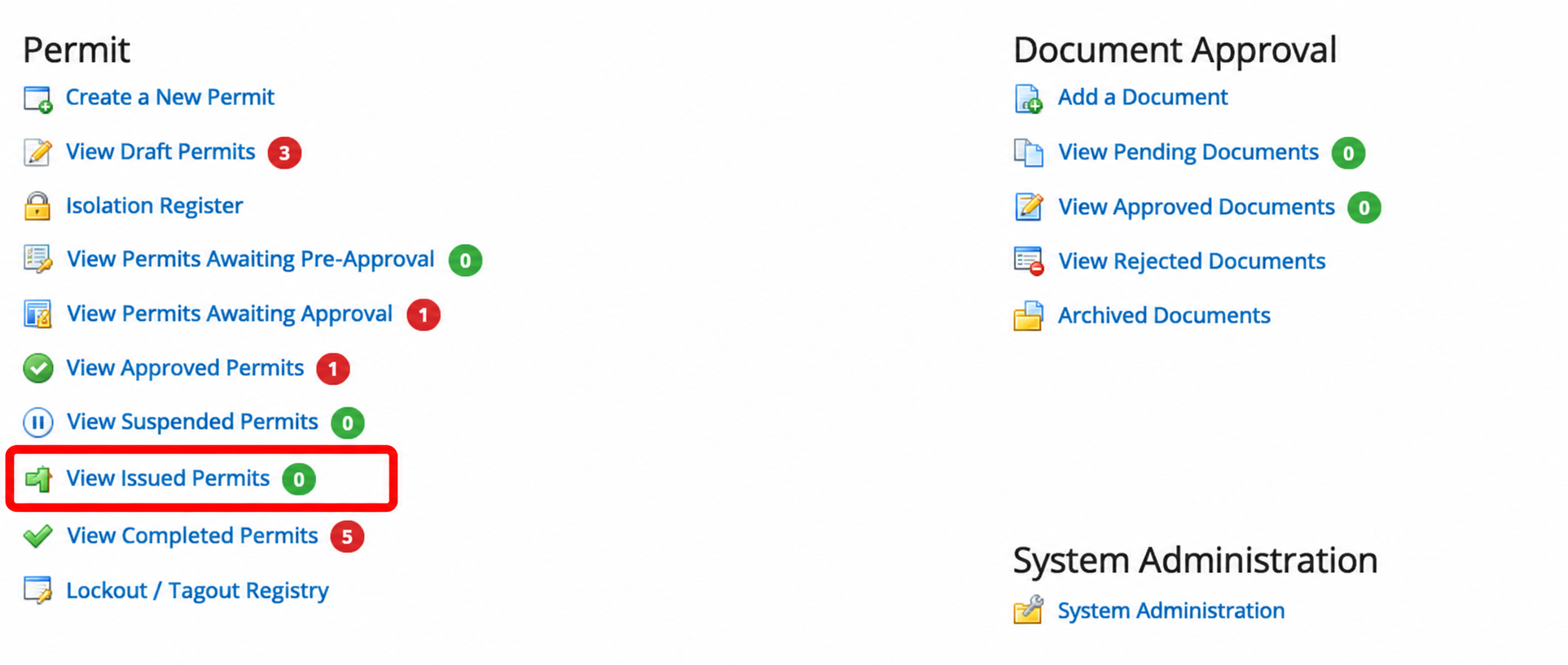
- Open the permit you want to review.
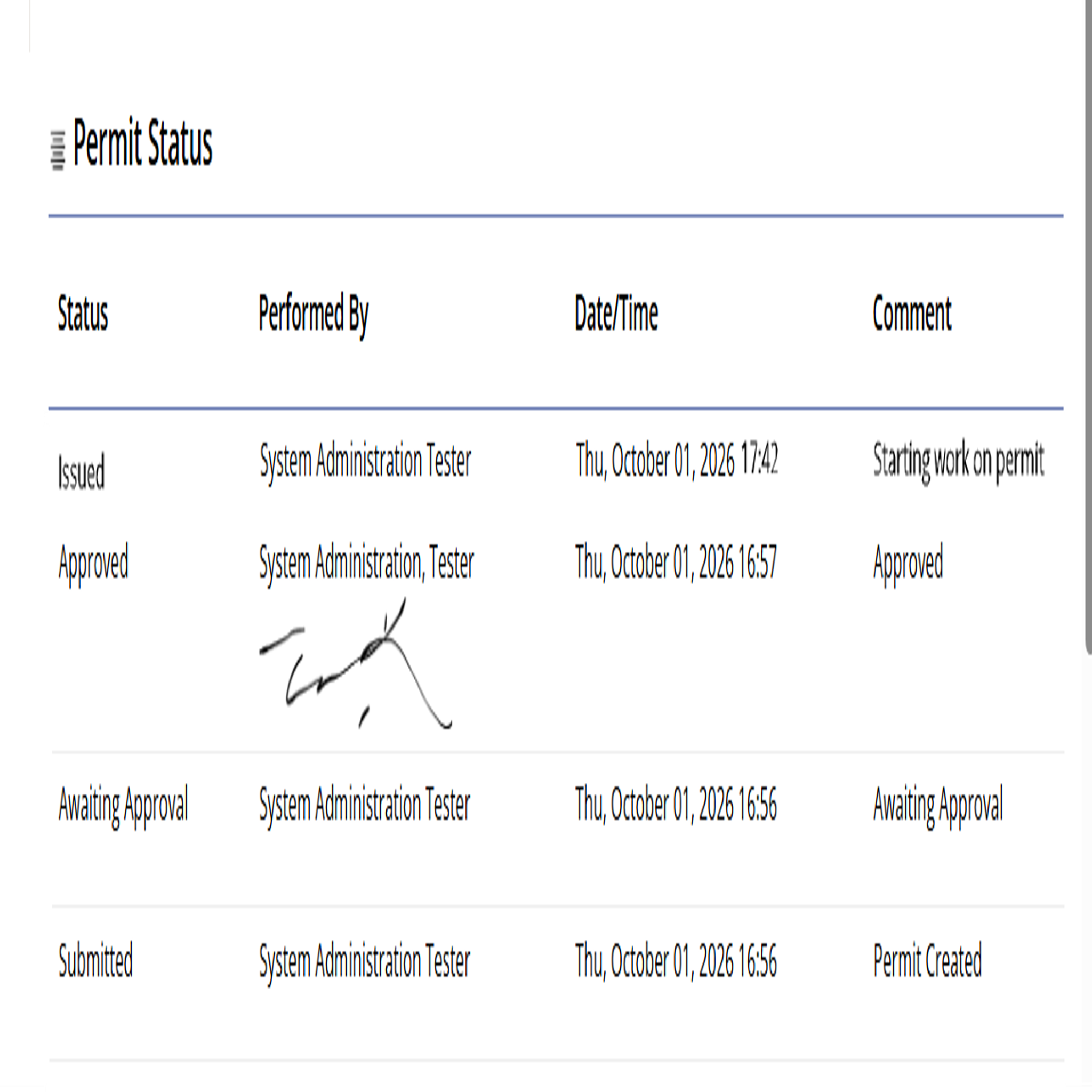
- Under Permit Status, review the issuance details:
- Status
- Person who performed the action
- Date and time
- Comment
Manage the permit
Use the available options as work progresses:
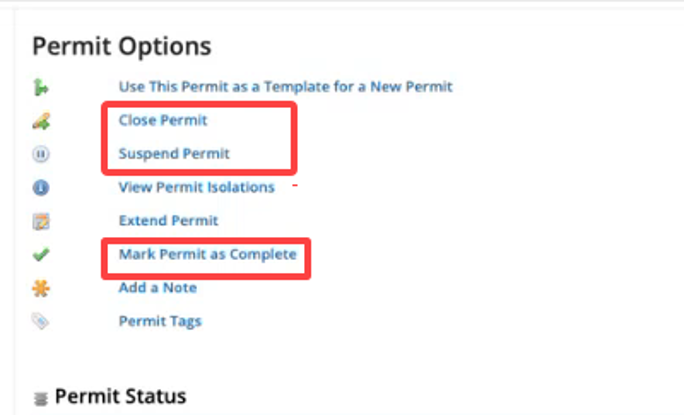
- Select Suspend Permit if work must stop temporarily. Do not continue work while the permit is suspended. Renew the permit before work resumes.
- If the optional Completed stage is enabled, select Mark Permit as Complete when work is finished. Enter a comment and save. The permit records who completed it, the date and time, and the comment.
- Select Close Permit to finish the permit lifecycle. Complete any required closure questions, then confirm. After you close the permit, you cannot modify it.
Understand the permit lifecycle
When Permit Issuance and the optional Completed stage are enabled, a permit can move through these statuses:
Submitted → Awaiting Approval → Approved → Issued → Suspended and renewed as needed → Completed → Closed
Completed is optional. If the stage is not enabled, you can close the permit without first marking it complete.
Related topic. Set Up Permit Issuance
Was this helpful?
Thanks for your feedback!
