

Imports
Importing Data
Importing data allows you to:
- Quickly update the application with data
- Use data from other sources for trending and analysis
Any administrator can import data as needed.
To import a data file:
- Go to the Admin menu and select Import <data type> under the area into which you want to import data. (For metrics data imports, go to the Add New menu instead.)
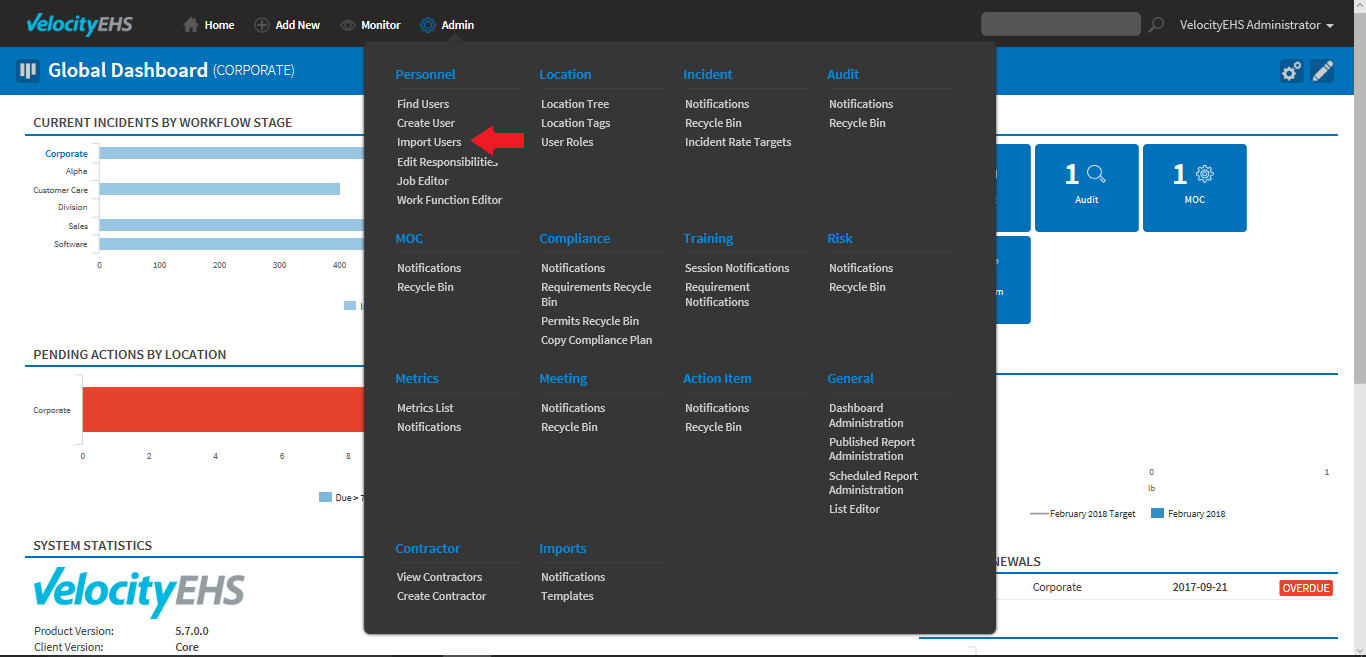
- Click New Import.

- Select a file Template.
- Click Preview if you want to download a copy of the template to review the template structure.
- Under File Selection, choose the file you want to import.
- Click Import Data. The import page redisplays and reflects the current status of the import.
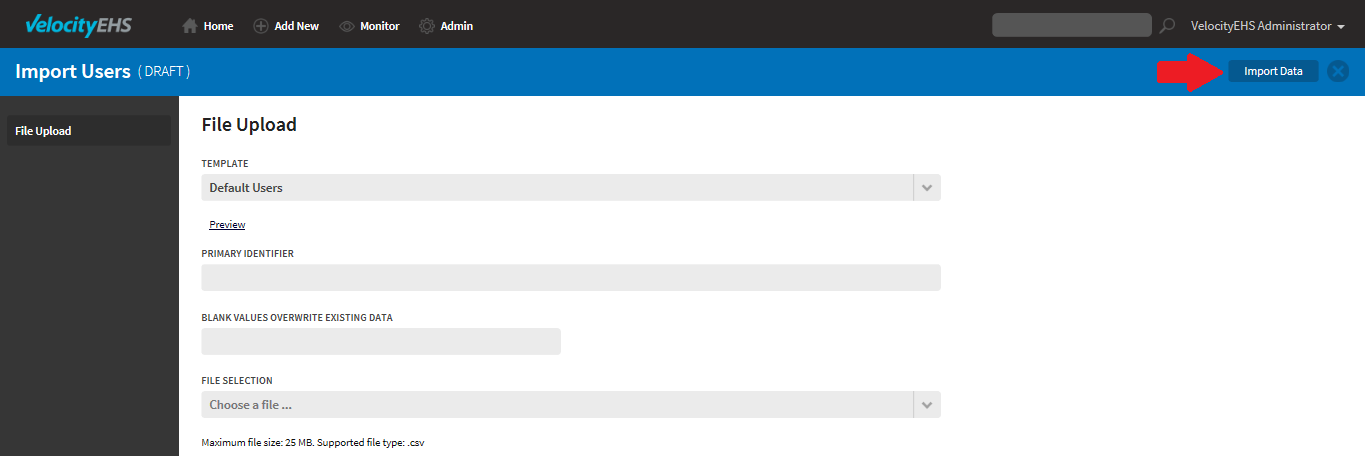
- Review the imported file.
- Go to the Admin menu and select Import <data type> under the area into which you want to import data. (For metrics data imports, go to the Add New menu instead.)
Was this helpful?
Thanks for your feedback!
