

FAQ
How do I fix the “potentially dangerous value detected” error message when saving my checklist?
When completing a checklist, you may see the error message “A potentially dangerous value was detected from the client” when you try to save it. This error usually occurs when a combination of unsupported special characters is included in one or more checklist fields.
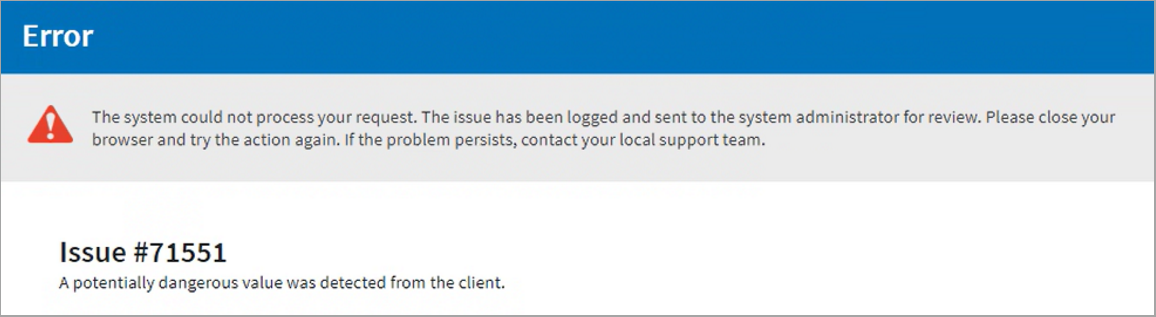
Resolving this issue allows you to save and submit your checklist without losing progress or delaying your work. Follow the steps below to resolve it.
- Go to Monitor and select the module that contains the checklist (Incidents, Inspections, Observation, etc.).
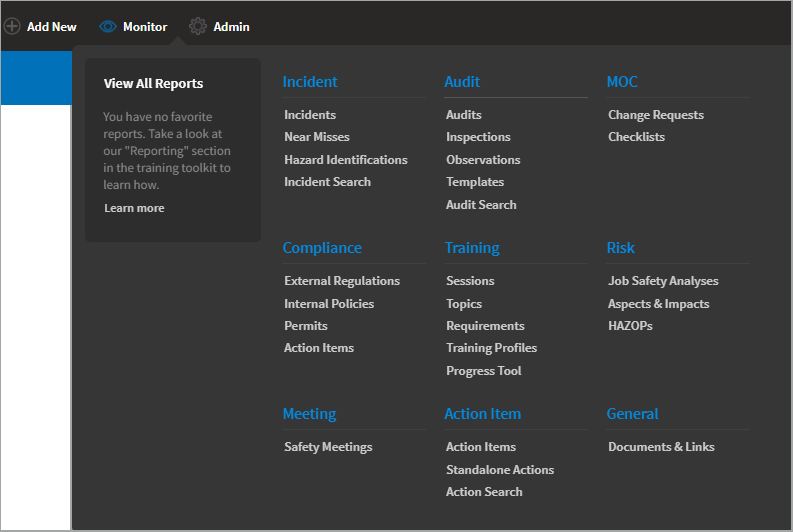
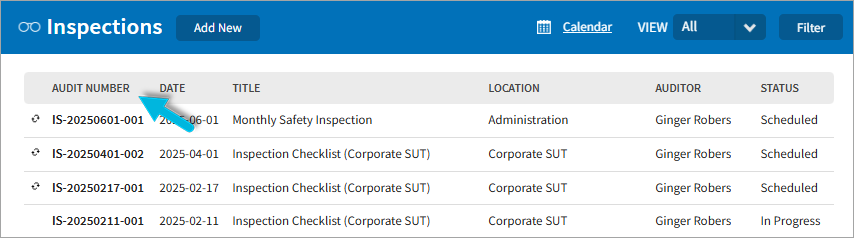
- Select the Audit Number associated with the checklist. Note that you cannot complete checklists with a Closed or Scheduled status.
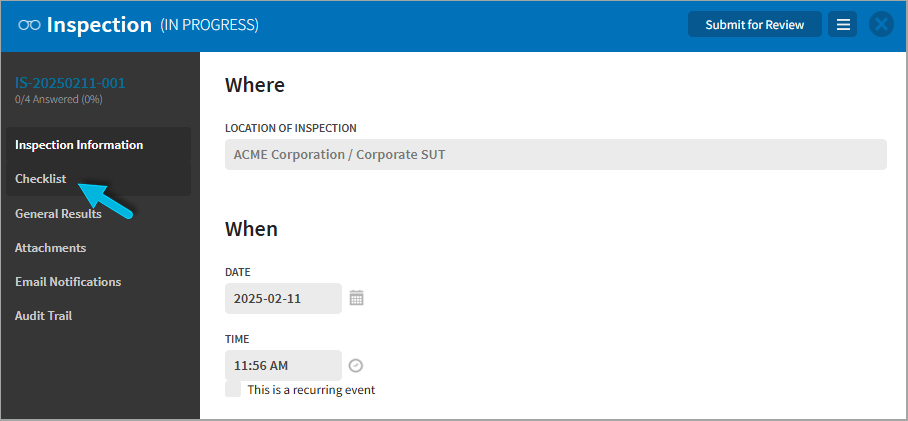
- Select Checklist from the left menu.
- Expand each item and review all free-text fields including the following:
- Finding
- Action Title
- Description
- Person Responsible
- Comments
- Description
- Look for unsupported special characters (>, #, @, ‘, etc.) and remove or replace them with standard text.
- Save your changes.
- Go to Monitor and select the module that contains the checklist (Incidents, Inspections, Observation, etc.).
Was this helpful?
Thanks for your feedback!
