

Multi-Company Features
Use Multi-Company Workforce in Permits
A contractor with the Create Permit role can select workforce from eligible associated companies when creating a permit.
Select an Available Company
A company appears during permit creation only when:
- The permit creator is associated with the company.
- The company serves the selected site.
- The company is active for the permit creator.
When creating the permit:
- Select the applicable site.
- Navigate to the workforce section of the permit.
- Open the Company list.
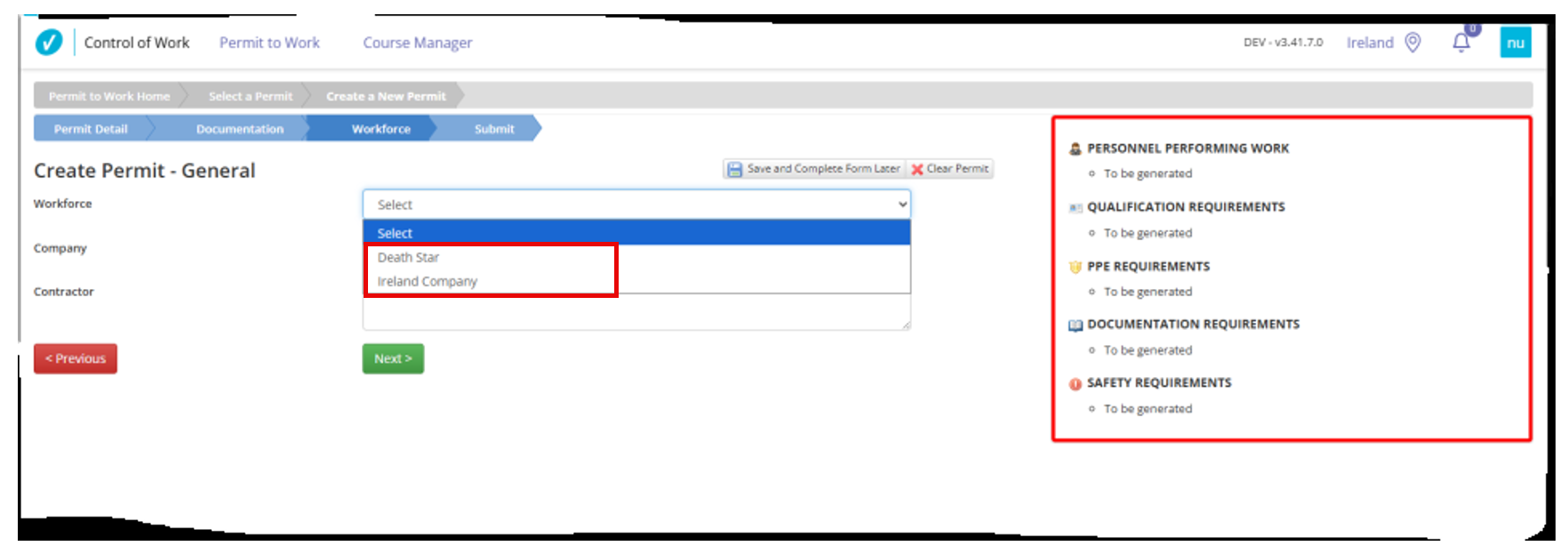
- Review the companies available for that site.
If a company serves the selected site but still does not appear, confirm that the company is active for the permit creator in User Administration.
Select a Workforce Member
After selecting an available company:
- Review the workforce associated with that company.
- Select the applicable workforce member.
A workforce member appears only when they belong to and are active for the selected company.
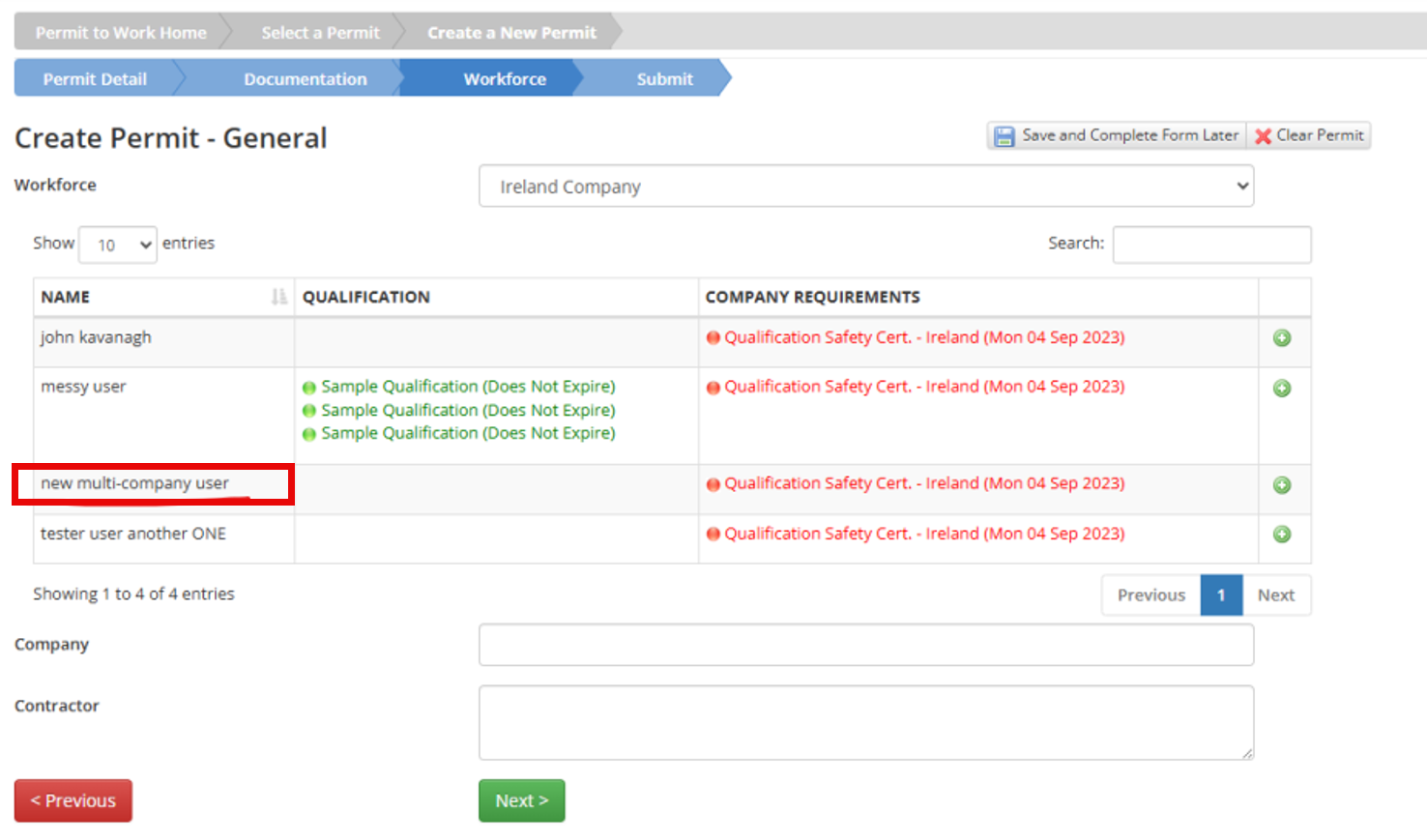
Because workforce status is company-specific, the same workforce member may appear under one company but not another.
Was this helpful?
Thanks for your feedback!
