

Job Assessments
How do I unarchive a job assessment?
Job assessments can be archived, which removes them from all reports and from the default Job Assessments list. If there is a subsequent need to revisit an assessment or to bring an assessment back into your system reporting, you can unarchive it.
Select Training Job Assessments (in Learn) or Job Assessments (in Do).
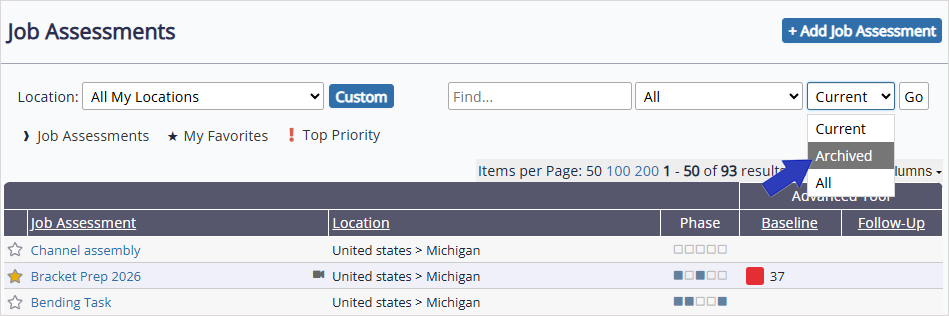
At the top right of the page, select the status drop-down, and then select Archived > Go to display archived job assessments. Select and open the job assessment you want to unarchive.
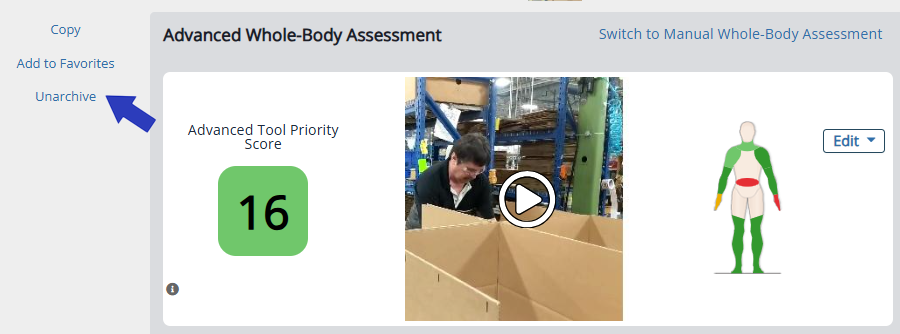
On the left side of the page select Unarchive > OK to confirm.
Was this helpful?
Thanks for your feedback!
