

Reports & Dashboards
Running Reports
Your Training & Learning account includes a Training Report. To access it, select Reports > Training Report.
Each role (administrator, manager, and instructor) can run reports for their teams/assigned users.
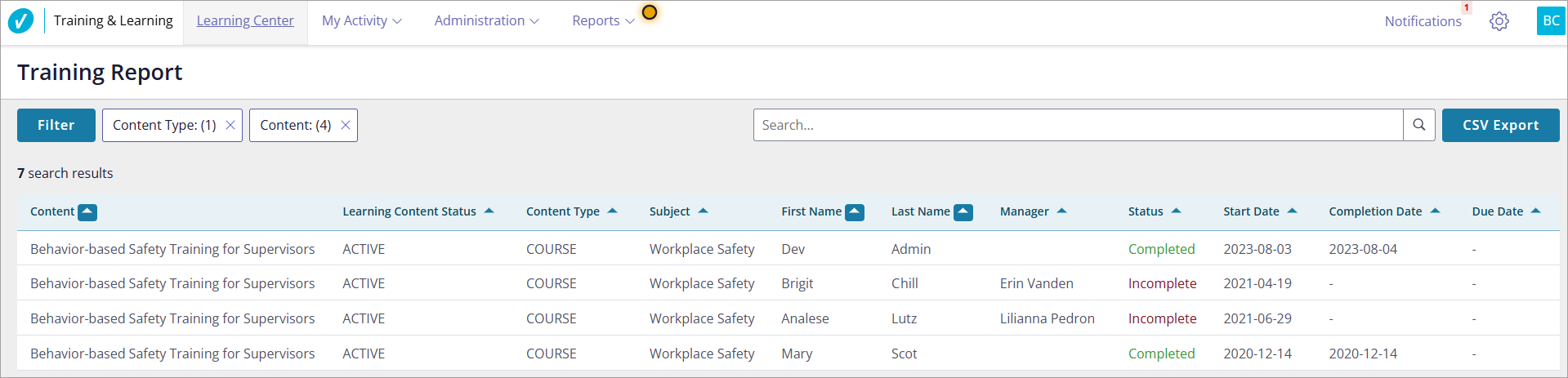
By default, the report reflects all users and training content in your account. To customize the report, select the Filter button; you can filter by one or more of the following:
- A particular group
- Content type (course, class, program)
- Subject
- Content (course, class, or program name)
- Learning content status (Active, Inactive, Retired)
- Transcript status (Not started, Incomplete, Completed)
- A single user
- Manager name
- User status (Active or Inactive)
- Course, class, or program completion date
- Due date before
- Due date after
To sort the data, select the arrows beside the column headers.
To export the data to a Microsoft Excel file, select the CSV Export button.
Was this helpful?
Thanks for your feedback!
