

FAQs
How do I delete a job assessment?
Job assessments can only be deleted by Administrators and Super Administrators.
Before you can delete a job assessment, you must archive it.
To delete an archived assessment, go to the Training Job Assessments page (in Learn) or the Job Assessments page (in Do).
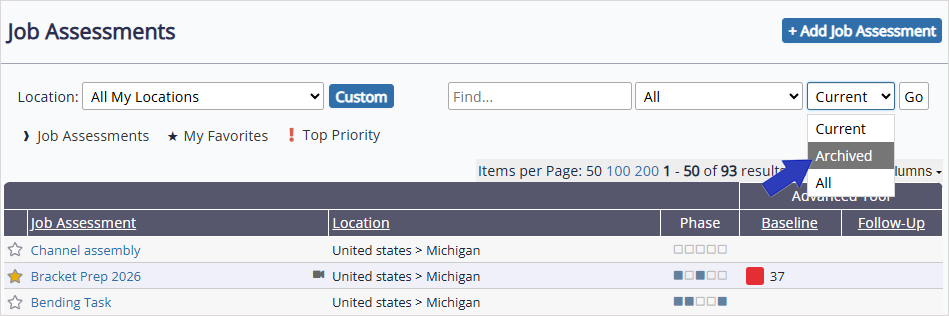
At the top right of the page, select the status drop-down, and then select Archived > Go to show archived job assessments. Select and open the job assessment you want to delete.
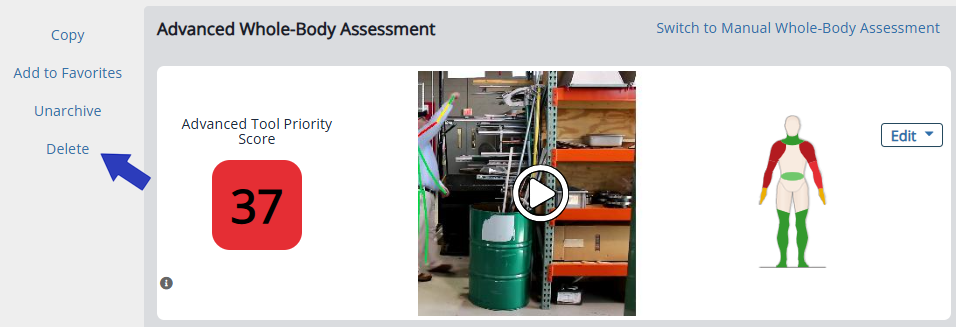
On the left side of the page, select Delete. When prompted, select OK to confirm.
Was this helpful?
Thanks for your feedback!
