How do I copy a job assessment?
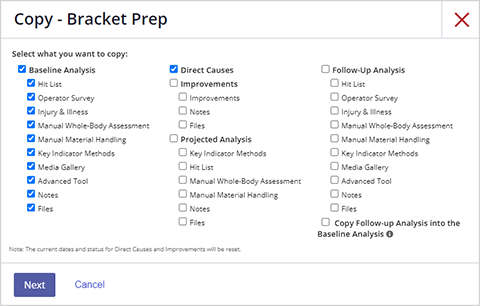
Copying an assessment is useful when assessing similar tasks with overlapping components that can be easily adjusted, for example, when two workstations are set up the same way but the product size or weight varies slightly. The copy function enables you to selectively copy photos and videos, the baseline analysis score, direct causes, improvements, projected analysis, and the follow-up analysis.
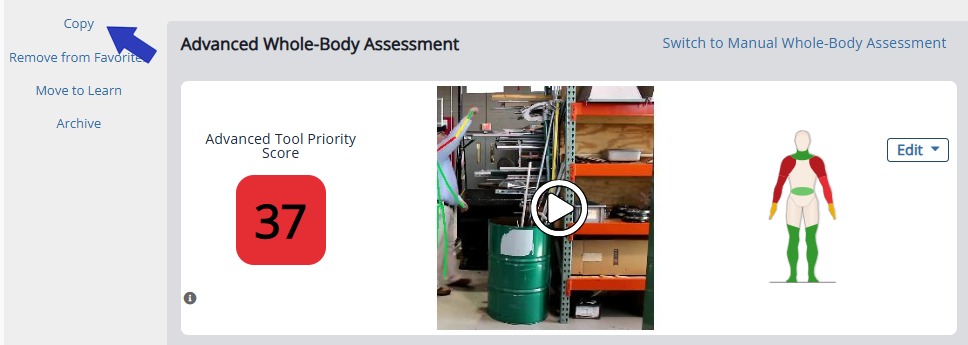
To copy a job assessment, open the assessment you want to duplicate. On the left side of the page, select Copy, and then select OK to confirm.
Next, select the part(s) of the assessment you would like to copy. Note that if you do not see an item listed (for example Projected Analysis Media Gallery), it is not available for copying.
Select Next.
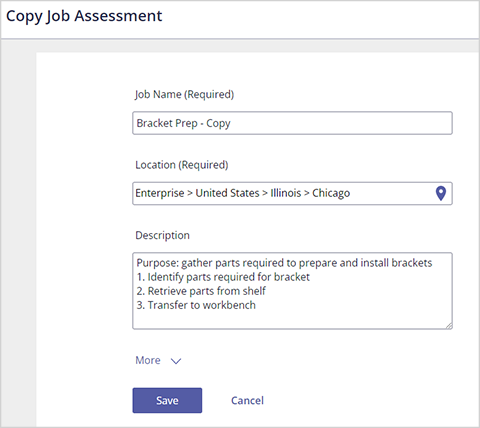
Update the job name, location, or task description where necessary, and then select Save.