

Permit to Work – Contractors
View My Permits (Submitted and Important)
View My Submitted Permits
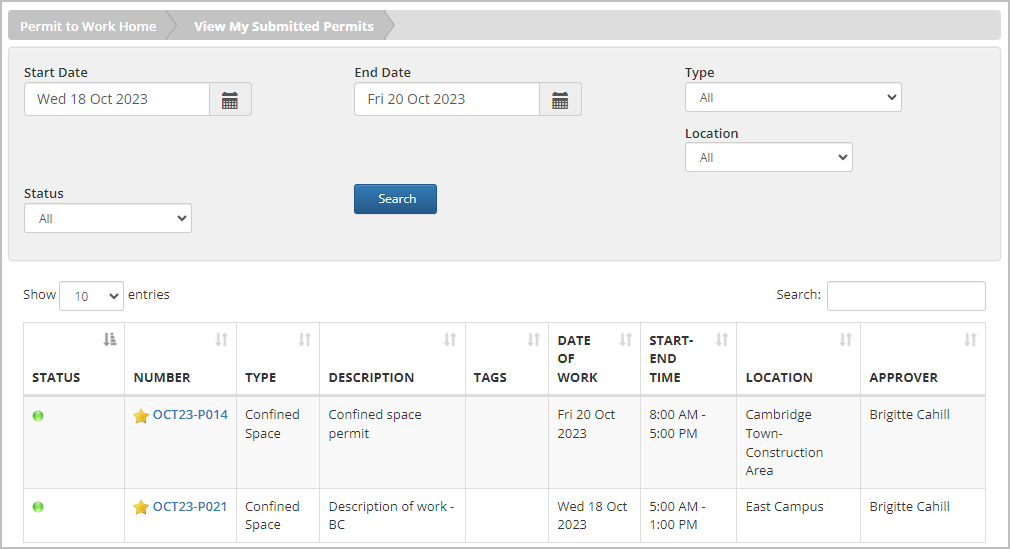
Select Permit to Work > View My Submitted Permits to see a list of permits that you have submitted.
- Use the filter options to narrow down the displayed permits based on the timeframe, type, location, or status. Then select the Search button to update the list.
- Select a permit Number to view details for a permit.
View My Important Permits
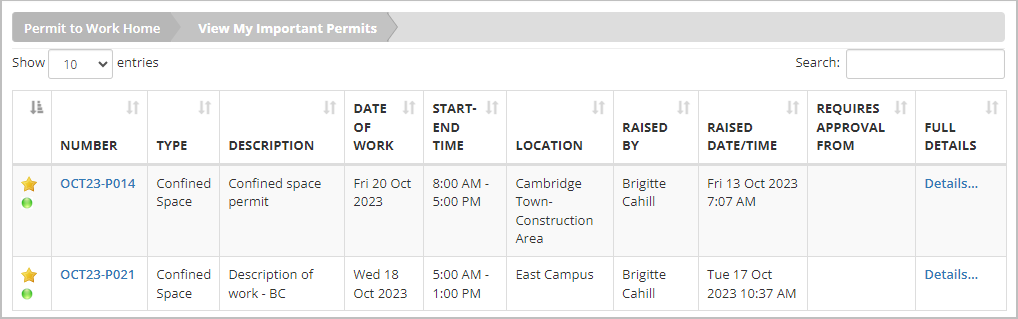
Select Permit to Work > View My Important Permits to see permits you’ve designated essential or “important”; once a permit is marked as such, it is added to this section. To learn how to add a permit to this section, refer to View Permits Awaiting Pre-Approval/Approval.
To view the details of any permit you’ve added, select the permit Number or Details… next to that permit.
Was this helpful?
Thanks for your feedback!
