

Administrative Settings
General User Site Management Page
You can manage all features related to the General User Site / Company Link by going to System Settings > General User Link Management.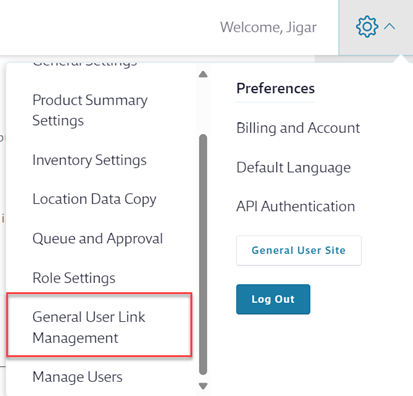
To access this page, you must be assigned a role with the policy:
Chemical Management – Access GULM Page
Role Selection and Help Center
Use this section to:
- Assign a role to access your Company Link so users can reach your organization’s eBinder without entering a username or password.
- In the dropdown menu, select the role and then select Confirm to give access.
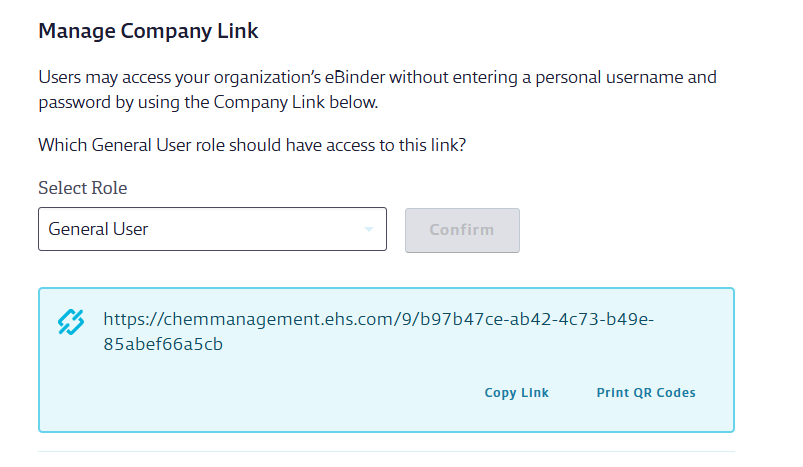
For a role to be eligible, it must also have the policy:
Chemical Management – General User Link Eligible
(This policy is only assigned to the Chemical Management General User Role by default.)
You can also:
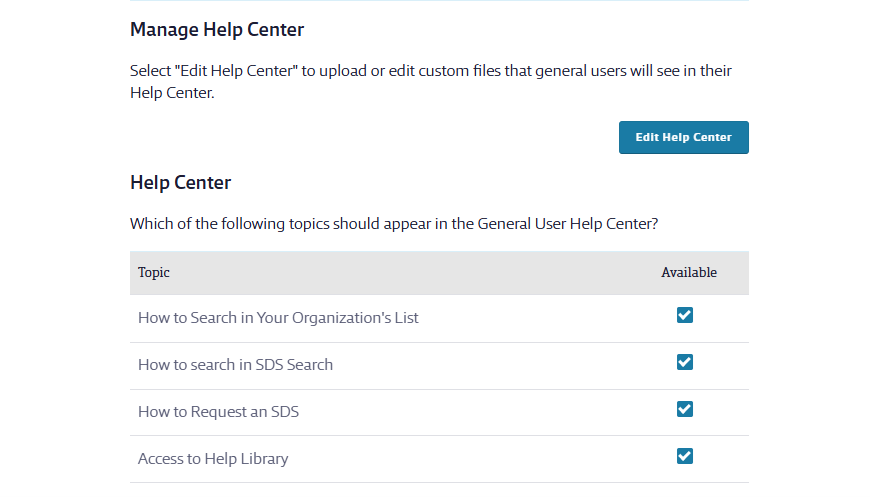
- Upload or edit files for the General User Help Center.
- Edit which topics appear in the General User Help Center.
Access and IP Gating
Edit who has access to the Company Link through IP restrictions or other controls.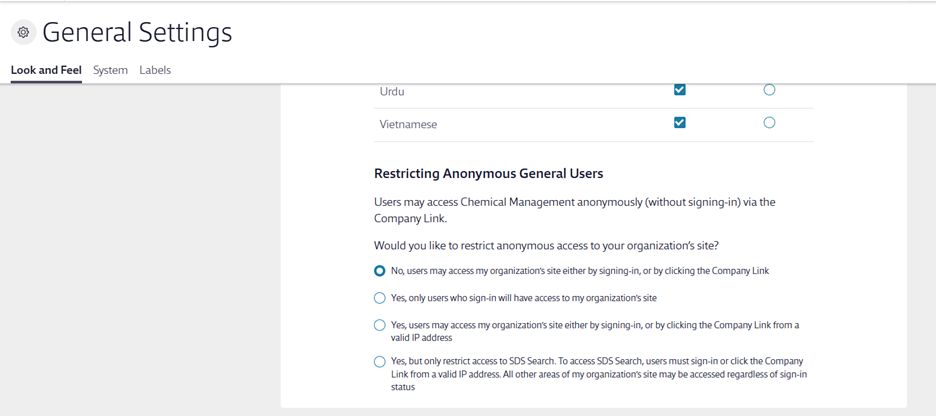
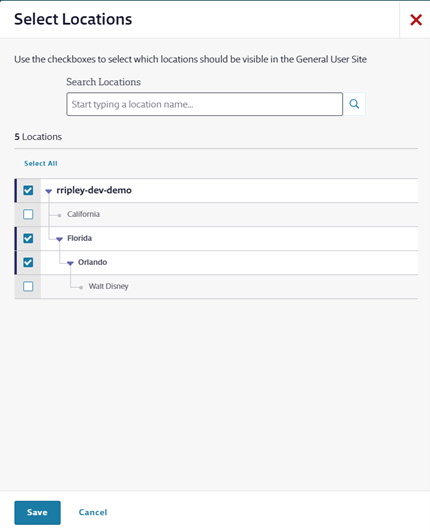
Locations
Select which locations should be visible in the General User Site.
- Search for locations using the search field.
- Select the arrow to expand and select child locations.
- If a child location is selected, parent locations will also display in the General User Site.
Was this helpful?
Thanks for your feedback!
